


A media buyer running Google, Meta, and LinkedIn campaigns for eight clients can burn a full day every month just exporting spend data into spreadsheets.
PPC reporting tools eliminate that step by pulling live spend, CPC, ROAS, and conversion data directly from every ad platform into one dashboard.
A newer, conversational category — led by ConvoData — skips the dashboard altogether: ask why ROAS dropped last week and get an instant answer pulled from your connected ad accounts, plus a recommendation.
This guide compares the eight platforms agencies rely on most in 2026, so you can match a tool to your ad spend volume instead of overpaying for features you won’t use.
Why PPC Reporting Breaks Down Without Automation
Paid media data changes daily, sometimes hourly during a sale or launch — a monthly manual export is already stale by the time a client opens it.
Multi-platform campaigns compound the problem: Google Ads, Meta, LinkedIn, and TikTok each define “conversion” and “reach” slightly differently, so a hand-built spreadsheet risks comparing numbers that aren’t actually comparable.
Automated reporting tools normalize these metrics behind the scenes, so a blended ROAS figure means the same thing across every channel in the report.
Stale data turns a report into a historical document instead of a decision-making tool by the time a client reads it.
Metric mismatches between platforms erode client trust when numbers don’t reconcile with what they see in Ads Manager.
Manual budget tracking makes it easy to miss pacing issues until a campaign has already overspent for the month.
What to Look for in a PPC Reporting Tool
The best PPC reporting tools refresh data at least every 30 minutes, natively connect to Google, Meta, LinkedIn, and TikTok Ads, support custom conversion and ROAS metrics, and alert your team the moment spend pacing drifts off target.
Fast refresh rates — 30 minutes or less, so budget pacing alerts actually mean something.
Multi-platform connectors — native support for Google, Meta, LinkedIn, TikTok, and Microsoft Ads without third-party workarounds.
Custom metrics — the ability to build blended CPA or ROAS calculations across channels, not just per-platform totals.
Budget pacing alerts — automatic flags when spend is tracking to over- or under-deliver against a monthly target.
White-label client views — live dashboard links clients can check anytime, not just a static end-of-month PDF.
The 8 Best PPC Reporting Tools in 2026
Ranked by connector breadth, refresh speed, and pricing at a typical agency workload of 10 active ad accounts.
| Tool | Best For | Starting Price |
|---|---|---|
| ConvoData | Conversational, ask-a-question PPC insights | $39/mo |
| Whatagraph | Agencies wanting AI-written performance summaries | ~$199/mo |
| Looker Studio | Google-stack teams on a free budget | Free |
| DashThis | Small teams needing fast dashboards | ~$49/mo |
| ReportGarden | Agencies managing ad budgets alongside reporting | ~$89/mo |
| AgencyAnalytics | Agencies combining PPC with SEO reporting | ~$59/mo |
| Swydo | PPC-first agencies wanting pacing alerts | ~$49/mo |
| Supermetrics + Sheets | Teams that want raw data over polished dashboards | ~$99/mo |
1. ConvoData — Best for Conversational PPC Insights
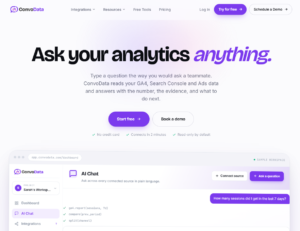
ConvoData turns ad performance analysis into a conversation. Connect your Google, Meta, or LinkedIn ad accounts, then ask a question like “why did ROAS drop last week” and get an instant, data-backed answer — not just a chart you have to interpret yourself.
Because the AI pulls live numbers directly from your connected integrations and pairs them with a recommended next step, it functions less like a dashboard and more like an analyst on call.
It currently supports 14 live integrations out of a 27-integration roadmap, so confirm your specific ad platforms are covered before switching a live account over.
At $39/month to start, it undercuts every other tool on this list on price while covering the core paid media platforms most agencies actually run.
Pros: lowest starting price on this list, plain-English querying instead of dashboard-building, includes a suggested action with every answer
Cons: connector library still expanding (14 of 27 planned integrations live today)
2. Whatagraph — Best for AI-Written Performance Summaries
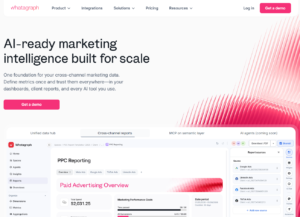
Whatagraph connects 50+ ad and marketing sources and refreshes data every 30 minutes across every plan tier.
Its AI commentary flags why a campaign’s ROAS shifted week over week, saving a media buyer from writing that analysis by hand for every account.
Linked templates let you build one master PPC report and clone it across every client, adjusting only the connected ad accounts — though at roughly five times ConvoData’s entry price.
Pros: fast refresh, AI narrative insights, strong cross-channel blending
Cons: cost rises quickly with more than 10 connected data sources
3. Looker Studio — Best Free Option
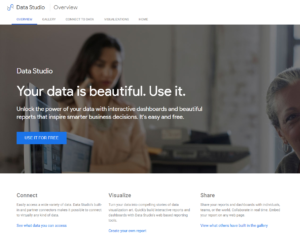
Looker Studio connects natively to Google Ads and, with a connector, most other major ad platforms.
Refresh rates vary from 15 minutes to 4 hours depending on the API, which can lag behind faster-moving paid tools during high-spend periods.
4. DashThis — Fastest Setup for Small Agencies
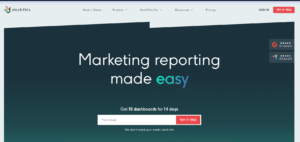
DashThis gets a PPC dashboard live in under 20 minutes using pre-built templates for Google, Meta, and Microsoft Ads.
Pricing per dashboard rather than per seat keeps costs flat as a small team adds more people without adding more clients.
5. ReportGarden — Best for Budget Tracking
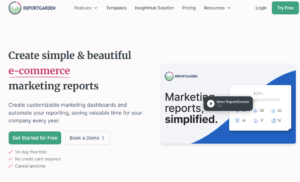
ReportGarden pairs reporting with budget and proposal tools, so pacing alerts and client invoicing live in the same place as the dashboard.
Pricing runs $89 to $299+ per month depending on account volume, positioning it above the cheapest tools but below enterprise platforms.
6. AgencyAnalytics — Best for Combined SEO and PPC Reporting
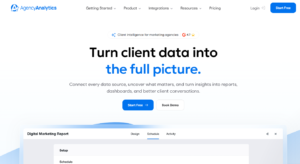
AgencyAnalytics covers 80+ data sources, letting agencies report on SEO and PPC performance side by side in one client dashboard.
AI-generated insights and template-based setup shorten onboarding for a new client account to under an hour.
7. Swydo — Best for Pacing Alerts
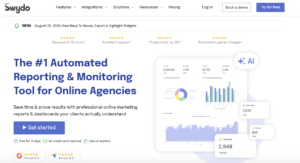
Swydo’s monitoring dashboard flags budget pacing and KPI thresholds in real time, which matters most for accounts running time-sensitive promotions.
Its base fee starts around $49/month for the first 10 connected data sources, scaling from there.
8. Supermetrics + Google Sheets — Best for Raw Data Control

For agencies that want full control over calculations, piping ad platform data into Sheets via Supermetrics keeps everything editable and auditable.
The tradeoff is that you’re building and maintaining the dashboard layer yourself, which suits a data-literate team more than a lean generalist shop.
ConvoData vs. Whatagraph for PPC Reporting
ConvoData answers ad performance questions conversationally starting at $39/month; Whatagraph builds AI-narrated dashboards starting around $199/month. Choose ConvoData for speed and budget efficiency, Whatagraph for the widest connector library today.
Both tools layer AI on top of ad platform data, but they solve the problem differently. Whatagraph’s AI writes commentary on top of a dashboard you still design, maintain, and clone per client.
ConvoData removes that build step entirely — ask a question, get an answer and a recommendation — which suits media buyers who want an answer in seconds, not a dashboard to interpret.
Agencies managing high ad-spend accounts where every dollar of software cost gets scrutinized tend to find ConvoData’s $39/month entry point and faster time-to-answer the better fit.
Blended Metrics: The Hardest Part of Multi-Platform PPC Reporting
A blended ROAS or CPA figure sounds simple until you try to calculate it consistently across Google, Meta, and LinkedIn in one spreadsheet.
Each platform’s API reports conversions on a slightly different attribution window by default, so a hand-built blend can be off by a meaningful margin without anyone noticing.
This is the single biggest reason agencies eventually move off spreadsheets — not the time saved on formatting, but the accuracy gained from a tool that normalizes attribution windows before it blends the numbers.
Set one attribution window across every connected platform inside the reporting tool, rather than trusting each platform’s own default.
Reconcile blended totals against each platform’s native dashboard for the first month after switching tools.
Flag view-through conversions separately from click-through ones, since blending them silently overstates paid social performance in particular.
A Pre-Send Checklist for Every PPC Report
Even with automation, a quick manual check before a report goes out catches the errors a tool can’t.
Confirm the reporting period matches the client’s billing cycle, not just a rolling 30-day default.
Spot-check total spend against the ad platform’s billing summary to catch any disconnected or expired account tokens.
Read the AI-generated or written summary once for tone — automated commentary can state an accurate number in a way that reads alarming out of context.
Verify every chart covers the same date range; a mismatched comparison period is the most common silent error in automated reports.
How to Choose the Right PPC Reporting Tool
Small teams under 10 accounts and budget-conscious agencies do well with ConvoData or Looker Studio; agencies managing 10–50 accounts benefit from AI summaries and pacing alerts in Whatagraph, AgencyAnalytics, or Swydo; agencies that also handle budgets should consider ReportGarden.
Match the tool to how you actually get paid. If your agency bills a management fee tied to ad spend, pacing alerts matter more than pretty charts.
If clients care most about ROAS trends and creative performance, prioritize a tool with strong cross-channel blending and fast, conversational answers instead.
Building Client Trust Around Ad Spend
Paid media clients scrutinize reports more closely than most, because the connection between spend and outcome is direct and immediate in a way organic channels rarely are.
A report that shows spend pacing next to results — not just results alone — pre-empts the question every client eventually asks: are we spending this efficiently, or just spending it?
Agencies that build this pacing context into every report field fewer “why did we spend so much this month” emails, because the answer is already on the page.
Common Mistakes When Automating PPC Reports
Teams often connect every ad account on day one and get overwhelmed troubleshooting metric mismatches across a dozen clients simultaneously.
Start with your two highest-spend accounts, validate that blended metrics match what you’d calculate by hand, then scale out from there.
Skipping that validation step is how a wrong ROAS calculation ends up in front of a client before anyone catches it.
A 30-Day Rollout Plan for a New PPC Reporting Tool
Treat the switch like a mini project, not a weekend task, and it will stick.
Week 1: Connect your highest-spend client account and, if trying ConvoData, ask it the three questions you’d normally answer manually each week.
Week 2: Run the new tool alongside your current manual report and reconcile every number before removing the old process.
Week 3: Roll out across the rest of your paid media roster, adjusting goals and blended metrics per account.
Week 4: Set pacing alerts, document the workflow, and retire the manual spreadsheet template for good.
Frequently Asked Questions
What is the best free PPC reporting tool?
Looker Studio is the strongest free option, with native Google Ads integration and full white-label design control, though non-Google platforms need a paid connector.
What is a conversational AI PPC reporting tool?
A tool like ConvoData that answers ad performance questions in plain English — you ask 'why did CPA rise this week' and get an instant, data-backed answer with a suggested fix, instead of interpreting a dashboard yourself.
How often should PPC data refresh in a client dashboard?
Aim for 30 minutes or faster during active campaigns; slower refresh rates make budget pacing alerts effectively useless.
Can one tool report on Google, Meta, and LinkedIn Ads together?
Yes — ConvoData, Whatagraph, AgencyAnalytics, DashThis, and ReportGarden all support blended, cross-platform PPC reporting or querying in a single place.
Do PPC reporting tools help with budget pacing, or just reporting?
Swydo and ReportGarden both include real-time pacing alerts, while pure dashboard tools like Looker Studio require a separate pacing workflow.
How much do agencies typically spend on PPC reporting software?
Most agencies land between $39 and $200 per month for a mid-size roster of 10 to 20 client accounts, with ConvoData at the low end and Whatagraph near the top, excluding enterprise custom-quoted platforms.
Why do blended ROAS numbers differ between my spreadsheet and my reporting tool?
Most often it's an attribution window mismatch — spreadsheets built from platform exports rarely apply the same conversion window across Google, Meta, and LinkedIn, while a dedicated tool normalizes that automatically.
Stop reconciling ad platform exports by hand. Connect your two biggest PPC accounts to ConvoData today, ask it why last week’s ROAS moved, and compare the answer against the hour you’d normally spend digging for it yourself — plans start at $39/month.
Whichever tool you pick, it is worth seeing how the resulting reports should actually look — these PPC reporting examples cover layouts by use case. Before automating the numbers, it also helps to know what you are benchmarking them against; see our guide to PPC benchmarks and realistic targets. And if Google Ads is your primary channel, our AdWords metrics guide covers exactly which columns are worth pulling into any tool you choose.