


Checking where you rank by searching your keyword in an incognito window feels useful, but it’s one of the least reliable ways to track SEO ranking — your own search history, location, and device all quietly skew what you see.
Accurate rank tracking means using a tool that checks positions consistently, from a fixed location and device, on a regular schedule, so the numbers you’re comparing month to month are actually comparable.
This guide walks through the free and paid ways to track SEO ranking, the setup steps that actually matter, and what to do with the data once you have it — because a rank tracker that nobody reviews isn’t accomplishing much either.
Why Rank Tracking Matters (and Where It Falls Short)
SEO rank tracking matters because it’s the earliest signal that a page’s search visibility is changing — often weeks before that shows up in traffic or conversions. Its main limitation is that rankings are personalized and location-dependent, so a single search result rarely reflects what most users actually see.
Rank tracking is usually the first place a problem shows up. A page can start losing position weeks before the traffic drop becomes visible in Google Analytics, which gives you time to investigate and fix it before revenue takes a real hit.
The limitation worth understanding upfront: Google personalizes results based on search history, location, and device, so no single ranking number is exactly what every user sees. A rank tracker gives you a consistent, comparable benchmark — not a literal promise of what every visitor’s search results look like.
That’s fine for the actual purpose rank tracking serves. You’re not trying to capture every individual’s exact search results; you’re trying to spot a trend over time from a fixed, repeatable measurement point.
Manual vs. Automated Rank Tracking
Manually searching a keyword and scrolling to find your result works for an occasional spot-check, but it breaks down fast as a real tracking method — Google’s personalization means the same search can return different results for different people, or even the same person on different days.
Automated rank tracking tools solve this by checking positions from a fixed, neutral location using consistent settings, so today’s number and last month’s number are measuring the same thing.
The tradeoff is cost and setup. Manual checking is free but unreliable and time-consuming at scale; automated tracking costs money but gives you consistent, trustworthy data across dozens or hundreds of keywords without the manual effort.
How to Track SEO Ranking: Step by Step
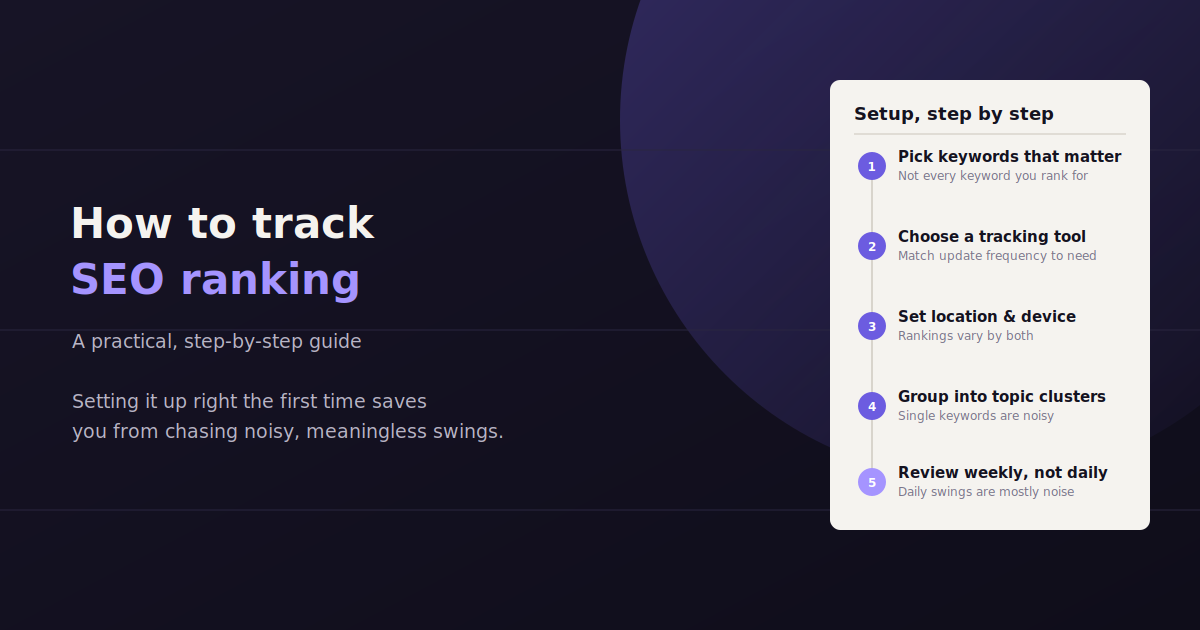
1. Choose the Right Keywords to Track
Track keywords tied to actual business goals — pages that drive conversions or qualified traffic — rather than every keyword a page happens to rank for.
A realistic starting list includes your primary target keyword per page, a handful of secondary variations, and a few competitor or category terms worth benchmarking against.
Resist the urge to track hundreds of long-tail keywords from day one. A focused list of 20 to 50 meaningful keywords is more useful — and more affordable — than tracking everything indiscriminately.
2. Set Accurate Location and Device Settings
Rankings can vary meaningfully by location, especially for anything with local intent, so configure your tracker for the specific city, region, or country your target audience actually searches from.
Track mobile and desktop separately if your traffic is meaningfully split between the two — mobile and desktop results frequently differ, sometimes by several positions on the same keyword.
3. Pick a Tracking Tool That Matches Your Scale
Google Search Console offers free ranking data (as average position) for every keyword your site already appears for, which is a solid starting point with zero cost.
For deeper competitor comparison, historical trend data, and tracking keywords you don’t yet rank for, a dedicated tool like Semrush or a platform with built-in rank tracking like AgencyAnalytics adds capability Search Console doesn’t offer.
4. Set a Consistent Check Frequency
Daily tracking suits competitive, fast-moving keywords or a site that just made a significant SEO change and wants to see the impact quickly.
Weekly tracking is enough for most keywords in less volatile industries — daily fluctuations of one or two positions are usually noise, not a real signal worth acting on.
5. Establish a Baseline and Track Trends, Not Single Snapshots
Before making any SEO changes, record where every tracked keyword currently sits so you have a real baseline to measure improvement against.
Judge rankings by the trend line over several weeks, not any single day’s number — a keyword bouncing between positions 8 and 12 for a month is fundamentally different from one that’s steadily climbing from 12 toward 8.
Best Practices for Accurate Rank Tracking
Track the local pack separately from organic results if local SEO matters to your business — the two are different result types and mixing them muddies the data.
Note algorithm update dates alongside your ranking history, so a sudden shift can be quickly checked against a known Google update instead of investigated as a mystery.
Track competitors on your priority keywords, not just your own site — a ranking drop that coincides with a competitor’s rise tells a different story than a drop with no clear cause.
Separate branded and non-branded keyword tracking. Branded search terms behave very differently from non-branded ones and shouldn’t be judged by the same benchmarks.
Metrics to Track Beyond Raw Position
Position alone is an incomplete picture. A keyword moving from position 4 to position 3 matters far less than a keyword moving from position 11 to position 9 — crossing from page two to page one of search results usually produces a much bigger traffic jump than the position numbers alone suggest.
Click-through rate by position, tracked through Search Console, shows whether your listing is actually earning clicks relative to its ranking position — a page ranking well with a weak click-through rate often has a title tag or meta description problem, not a ranking problem.
Visibility share, sometimes called share of voice, aggregates ranking performance across your full keyword set into one trend line, which is a more useful executive-level metric than reporting on individual keyword positions one by one.
Free vs. Paid Rank Tracking Tools
Google Search Console offers free average-position data for keywords you already rank for, but doesn’t track competitors or new keyword opportunities. Paid tools like Semrush add competitor tracking, SERP feature visibility, and historical trend data, typically starting around $130-$140 per month.
There’s no universally “right” choice here — it depends on whether you need competitor visibility and keyword discovery, or just a reliable trend line for keywords you already rank for.
A common pattern is starting with the free Search Console option and upgrading to a paid tool once competitor comparison or a larger tracked keyword list becomes genuinely necessary, rather than paying for capability that isn’t being used yet.
| Tool | Cost | Best For |
|---|---|---|
| Google Search Console | Free | Average position for keywords you already rank for |
| Semrush | ~$139/mo | Competitor tracking, SERP features, keyword research combined with tracking |
| AgencyAnalytics | ~$59/mo | Agencies wanting rank tracking bundled with broader client reporting |
How Rank Tracking Fits Into a Broader SEO Reporting Workflow
Rank tracking is one input into SEO reporting, not the whole picture. A keyword climbing in position that isn’t translating into more traffic or conversions is a signal worth investigating on its own, and rank data alone won’t tell you why.
The most useful SEO reports combine ranking trends with organic traffic, click-through rate, and conversion data side by side, so a ranking change is always viewed alongside its actual business impact rather than in isolation.
This is also where reporting cadence matters. A rank tracker checked daily but reviewed monthly is mostly wasted effort — match the review frequency to the check frequency, or the data just accumulates without informing any real decision.
Common Mistakes When Tracking SEO Rankings
Checking rankings in a personal, logged-in browser and treating the result as representative — it isn’t, due to search personalization.
Reacting to daily fluctuations as if every single-position change is meaningful, when most day-to-day movement is normal noise.
Tracking too many keywords to review meaningfully, which leads to skimming a wall of numbers instead of actually acting on any of them.
Ignoring SERP features like featured snippets or the local pack, which can mean a “position 1” ranking still gets pushed below the fold by other elements on the results page.
Turning Ranking Data Into a Repeatable Reporting Habit
The hardest part of rank tracking usually isn’t the setup — it’s actually reviewing the data on a regular schedule instead of letting it accumulate unread in a dashboard nobody opens.
A simple, sustainable habit works better than an elaborate one: a short weekly check of the keywords that moved most, plus a monthly review tying ranking trends back to traffic and conversions.
For teams juggling rank data alongside traffic, ad spend, and conversion numbers, pulling it all into one place saves the step of jumping between tools. A conversational tool like ConvoData can help here — once your rank tracker and analytics are connected, you can ask “which pages lost rankings this month and did traffic drop with them” and get a live answer plus a suggested next step.
Ranking is only one piece of the picture, so it is worth pairing this with a dedicated keyword rank monitoring routine that catches movement before it shows up in traffic. Once tracking is in place, our rundown of the SEO KPIs that actually matter covers which numbers to actually watch, and if you are still deciding what to prioritize next, see how to build an SEO roadmap around what you find.
Frequently Asked Questions
What's the most accurate way to track SEO rankings?
A dedicated rank tracking tool checking from a fixed location and device on a consistent schedule is far more accurate than manually searching, since Google personalizes results based on search history, location, and device.
Is Google Search Console enough to track SEO rankings?
It's a solid free starting point, showing average position for keywords your site already ranks for, but it doesn't track competitors or keywords you don't yet rank for. Most teams that need deeper analysis pair it with a dedicated rank tracking tool.
How often should I check my SEO rankings?
Weekly is enough for most keywords. Daily checks make sense for highly competitive keywords or right after a significant site change, but daily one- or two-position swings on stable keywords are usually just noise.
Why do my rankings look different when I search manually versus in my rank tracker?
Manual searches are affected by your personal search history, current location, and device, so they rarely match a rank tracker's consistent, neutral-location measurement. Trust the tracker's number over a manual search for tracking trends over time.
Should I track mobile and desktop rankings separately?
Yes, if your traffic is meaningfully split between the two. Mobile and desktop search results frequently differ, sometimes by several positions for the same keyword, so combining them into one number can hide a real problem on one device type.
What should I do when a keyword's ranking drops?
First check whether the drop coincides with a known Google algorithm update or a change made to the page itself. Then check whether a competitor gained the position you lost, and review whether search intent for that keyword may have shifted, which sometimes means the page needs updating, not just re-optimizing.
How many keywords should I track for a small business?
Twenty to fifty focused keywords tied to actual business goals is a reasonable range for most small businesses — enough to see meaningful trends without ending up with a list too large to actually review each week or month.
Does a higher ranking always mean more traffic?
Not always. SERP features like featured snippets, ads, or a local pack can push an organic listing below the fold even at position one, and a weak title tag or meta description can suppress click-through rate even at a strong position. Check click-through rate alongside position, not position alone.
Once your rank tracker is set up, the real work is reviewing it consistently and connecting it to traffic and revenue. Connect your SEO and analytics data to ConvoData and ask which pages need attention this week — plans start at $39/month.