


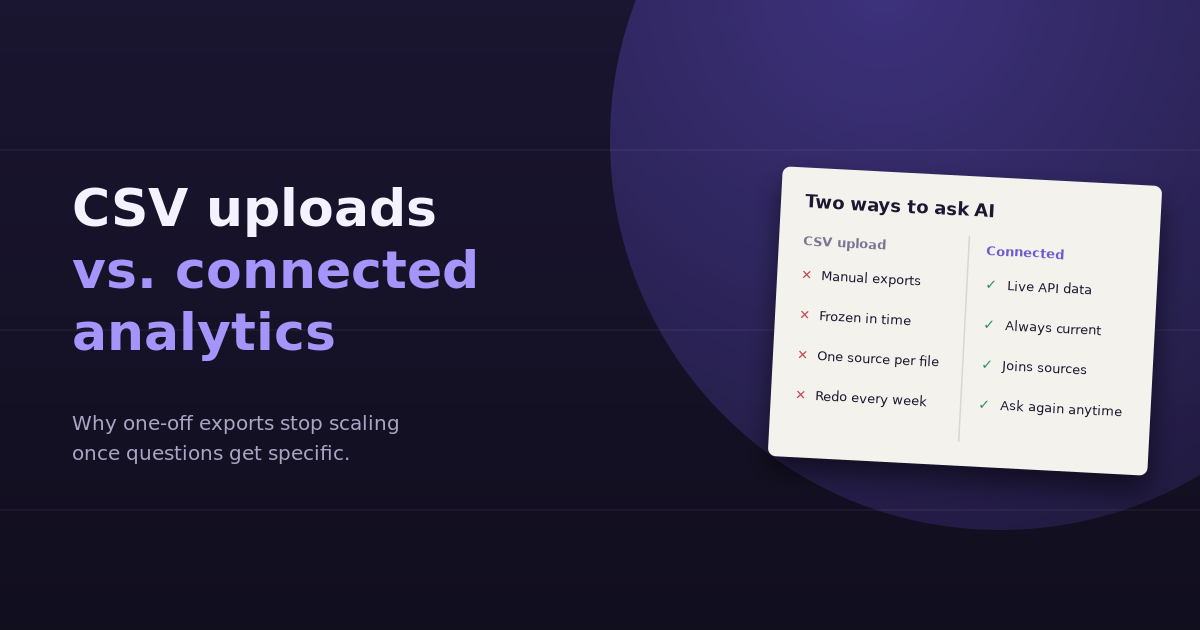
The first time you upload a CSV to ChatGPT and ask it to find the problem in your campaign data, it feels like a breakthrough. It sorts, calculates, charts, and explains in seconds. The tenth time, when you’re exporting the same three reports again because the question changed slightly, it feels like a chore. That’s the real trade-off between uploading files to a general AI assistant and using an analytics tool that’s connected to your data sources directly.
This comparison looks at both approaches across the things that actually matter in day-to-day marketing analysis: freshness, follow-up questions, multi-source joins, accuracy, effort, and cost.
How Each Approach Works
The CSV upload approach
You export a report from GA4, Google Ads, Meta, Search Console, or your CRM, upload the file to ChatGPT (or another general assistant), and ask questions. The assistant writes code to analyze the file and returns tables, charts, and explanations. When you need different data, you go back to the source, export again, and upload again.
The connected analytics approach
You connect your data sources once, typically through each platform’s API with OAuth. When you ask a question, the tool queries the relevant sources live, joins the results if needed, and answers with current numbers. Follow-ups trigger new queries rather than new exports.
Side-by-Side Comparison
| Factor | CSV upload to ChatGPT | Connected analytics tool |
|---|---|---|
| Setup | None; works immediately | One-time connection per data source |
| Data freshness | As old as your last export | Current as of the platform API |
| Follow-up questions | Only if the answer is already in the file | Any question the connected sources can answer |
| Multi-source questions | Manual: export each source, hope the keys match | Joined automatically where sources share dimensions |
| Row limits and sampling | Inherits whatever the export contained | Queries can request the full breakdown needed |
| Repeatability | Redo the export every time | Ask the same question again next week |
| Team access | Each person runs their own exports | Shared connections, consistent definitions |
| Taking action | Analysis only; changes happen in each platform | Some tools can act on findings directly |
| Cost | Included in a general AI subscription | Separate subscription |
Where CSV Uploads Win
Uploads are genuinely the better choice in a few situations:
- One-off analysis. A single question about a single dataset doesn’t justify connecting anything.
- Data with no API. Offline sales logs, event attendance lists, survey results, and legacy spreadsheets often only exist as files.
- Heavily customized datasets. If you’ve already cleaned and enriched a dataset in a spreadsheet, uploading that final version preserves your work.
- Exploration before committing. Uploading a few exports is a cheap way to find out whether AI-assisted analysis is useful for your team at all.
Where Uploads Start to Hurt
The weaknesses show up as soon as analysis becomes regular or the questions get specific.
The export loop
Every new angle means a new export. “Which campaigns lost conversions?” leads to “on which devices?” leads to “which search terms?” Each step is a trip back to the platform. By the third question, most of the time spent is on data preparation, not analysis.
The join problem
The most valuable marketing questions span sources: ad spend against CRM pipeline, Search Console rankings against GA4 conversions, platform ROAS against Stripe revenue. Uploading separate files means the assistant has to match campaign names that don’t quite match, reconcile date logic, and work around missing keys. It can do this, but errors are easy to miss.
Silent incompleteness
If an export was capped at the top rows, sampled, or filtered in a way you forgot about, the assistant doesn’t know. Its conclusions are only as complete as the file, and nothing in the answer tells you what’s missing.
Version drift
When three people each upload their own exports, they get three slightly different answers to the same question because their date ranges, filters, or attribution settings differed. Connected tools that share definitions reduce that drift.
Accuracy: Which Is More Reliable?
Both approaches typically do the arithmetic with code, so calculation errors are rare either way. The difference is in the data:
- With uploads, accuracy depends on whether you exported the right data, with the right filters, at the right granularity. Human error in the export step is the main risk.
- With connected tools, accuracy depends on whether the tool translated your question into the right query. Good tools show the metrics, filters, and date ranges they used, so you can verify.
In practice, the connected approach removes one manual step where mistakes happen, but you still need to check that the tool interpreted your question the way you meant it.
The Real Cost Comparison
Uploads look free if you already pay for a general AI assistant. The hidden cost is time. A useful rule of thumb: count how many exports you run per week for analysis, multiply by the minutes each takes to set up, export, clean, and upload, and multiply by the hourly cost of the person doing it. For a marketer running ten exports a week at ten minutes each, that’s more than 80 hours a year of data preparation, before any analysis happens.
If that number is small, keep uploading. If it isn’t, a connected tool usually pays for itself quickly.
A Hybrid Approach That Works
Most teams don’t need to choose one forever. A practical split:
- Connected analytics for recurring questions across your core platforms: weekly performance, CPA diagnostics, traffic drops, cost per lead, channel mix
- File uploads for one-off datasets with no API, such as event lists, survey results, or offline sales
- Your platforms’ native interfaces for detailed configuration and anything that needs the full feature set
If you’re still deciding whether a general assistant is enough for GA4 specifically, our guide on whether ChatGPT can analyze Google Analytics data covers the details. For the bigger picture on combining sources, see our explainer on data aggregation.
Questions to Ask Before Choosing
- How often do we ask analysis questions: weekly, monthly, or occasionally?
- How many of our questions involve more than one data source?
- How many people need consistent answers to the same questions?
- Do we want to act on findings directly, or only analyze them?
- Which of our data sources have APIs, and which only exist as files?
If the answers are “occasionally, rarely, just me, analyze only, mostly files,” uploads are fine. If they lean the other way, it’s worth connecting your sources. For a broader look at what makes reporting stick, see our guide to ad hoc reporting.
Frequently Asked Questions
Is uploading CSVs to ChatGPT a good way to analyze marketing data?
It works well for one-off questions about a single, clean dataset. It becomes slow and error-prone when analysis is recurring, when follow-up questions need data you didn't export, or when questions span several platforms.
What's the biggest limitation of CSV uploads for marketing analysis?
The data is frozen at export time and limited to what you exported. Any follow-up that needs a different breakdown, a newer date range, or another source requires going back to the platform and exporting again.
Are connected analytics tools more accurate than ChatGPT with uploads?
Not inherently, since both usually calculate with code. Connected tools remove the manual export step, which is where many errors happen, but you still need to confirm the tool used the metric, filter, and date range you intended.
Can ChatGPT join data from multiple CSV files?
Yes, if the files share a common key such as date, campaign name, or landing page URL. In practice, platforms often name things differently, so joins need manual cleanup and checking.
When is a connected analytics tool worth paying for?
When you run similar exports every week, when your questions regularly combine sources like ad spend and CRM data, or when several people need consistent answers. The time saved on data preparation usually outweighs the subscription cost.
Can I use both approaches together?
Yes, and many teams do. Use a connected tool for recurring questions across platforms with APIs, and file uploads for datasets that only exist as spreadsheets, such as offline sales or survey results.
If you’re exporting the same reports every week, connect them instead. ConvoData links GA4, Search Console, ad platforms, HubSpot, and Stripe, so follow-up questions just work, and you can act on the answer from the same chat. Plans start at $39/month.