


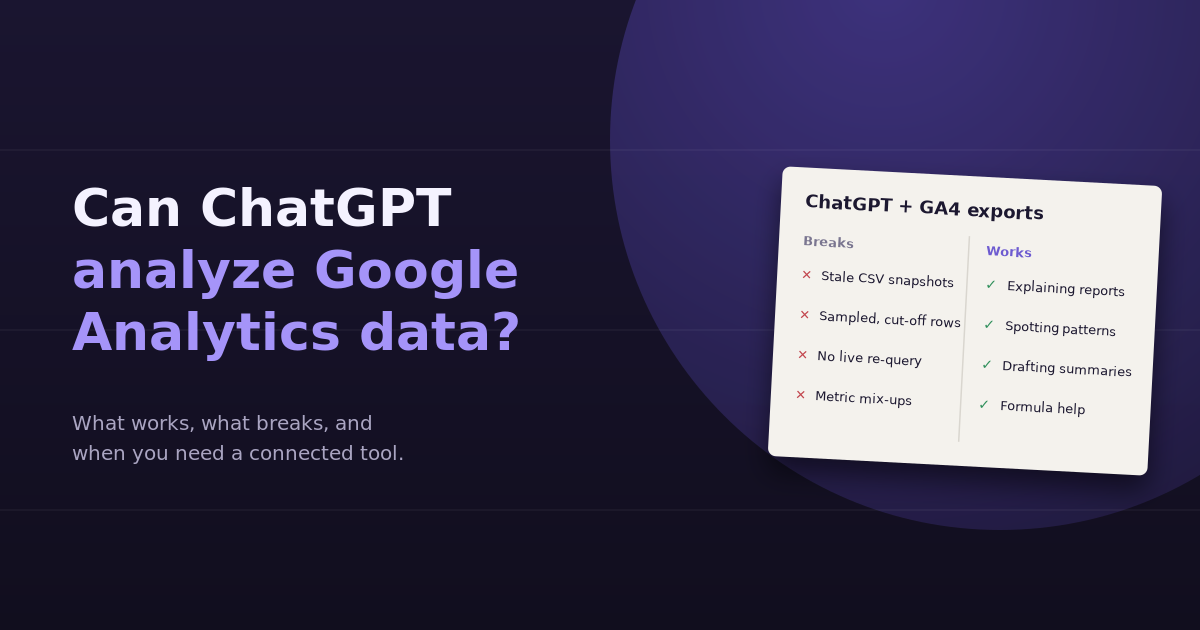
Yes, ChatGPT can analyze Google Analytics data, but how well depends almost entirely on how the data reaches it. Upload a clean export and ask a focused question, and you’ll often get a sharp, useful answer. Paste a screenshot, ask something that needs a different breakdown, or rely on numbers ChatGPT can’t see, and the answer can look confident while being wrong.
This guide covers the ways to get GA4 data into ChatGPT, what each method handles well, where it breaks, and how to tell when you’ve outgrown the export-and-upload approach.
Three Ways to Get GA4 Data Into ChatGPT
| Method | How it works | Good for | Weak at |
|---|---|---|---|
| Screenshots or pasted tables | Copy a report view and paste it into the chat | Quick explanations of a single report | Anything beyond what’s visible; easy to misread small numbers |
| CSV or spreadsheet uploads | Export from GA4 or Explorations, upload the file, ChatGPT analyzes it with code | Sorting, filtering, charting, and summarizing a fixed dataset | Questions that need data you didn’t export; anything time-sensitive |
| Connectors or MCP servers | ChatGPT calls an external service that queries the GA4 API | Live questions without manual exports | Setup effort, plan requirements, and limited multi-source joins |
Most marketers start with uploads, because it’s the fastest way to get going. Connector and MCP options change often, so check what your ChatGPT plan currently supports before building a workflow around one.
What Works Well
Explaining what a report means
Ask ChatGPT what “engagement rate” means, why it differs from bounce rate, or how GA4 defines a session, and you’ll get a clear answer. It’s genuinely good at translating GA4’s terminology into plain language.
Sorting, filtering, and spotting patterns in an export
Upload a landing page export with sessions, engagement rate, and key events, and ChatGPT can rank pages, flag outliers, calculate conversion rates, and group pages by folder. This is where its data analysis capability shines: it writes and runs code against your file, so the arithmetic is usually reliable.
Charting
It can produce charts from uploaded data quickly, which is handy for a one-off slide or a quick visual check.
Drafting summaries
Given a clean dataset and context about your goals, ChatGPT writes reasonable first drafts of performance summaries. You’ll still need to check the numbers and add business context.
Formula and regex help
Need a regex for a GA4 filter or a custom channel group, or a spreadsheet formula to compare periods? This is a reliable use case.
What Breaks
Data that’s frozen in time
An export is a snapshot. The moment you ask “what about last week?” or “how does that compare to the same month last year?”, ChatGPT can’t answer unless you go back to GA4, run another export, and upload it. Analysis becomes a loop of export, upload, ask, repeat.
Questions that need a different breakdown
If you exported sessions by landing page and then ask which device drove the drop, the data simply isn’t there. ChatGPT may guess, or tell you it can’t answer. The first is worse.
Row limits and sampling
GA4 standard report downloads and Explorations can be limited in the number of rows they return, and Explorations may be sampled on large date ranges. If the export only contains the top rows, ChatGPT’s conclusions are based on a partial dataset, and it has no way of knowing that unless you tell it.
Metric mix-ups
GA4 has several overlapping metrics: total users, active users, new users; sessions and engaged sessions; key events and older conversion naming. If the column headers are ambiguous or you mix exports, ChatGPT can combine numbers that shouldn’t be combined.
Single-source blind spots
Many important questions need GA4 plus something else: Google Ads spend, Search Console rankings, CRM pipeline, Stripe revenue. Joining those in ChatGPT means exporting each source separately, matching dimensions that don’t share names, and trusting that every date range lines up.
Privacy and data handling
Uploading analytics exports means sharing business data with a third-party service. Check your organization’s policy and your ChatGPT plan’s data settings, and avoid uploading anything that contains personal data.
How to Get the Best Results From ChatGPT With GA4
If you’re using the upload approach, these steps make a real difference:
- Export exactly the dimensions and metrics your question needs. Build the view in GA4 first, then export. Don’t rely on ChatGPT to infer what’s missing.
- Include the date range in the file name and in the prompt. For example: “This file covers organic sessions by landing page for September 1–30.”
- Define the metrics. Tell ChatGPT which column is your conversion metric and how it’s counted.
- Export two periods for comparisons. Upload both or include a comparison column so trends are visible.
- Ask it to show its work. Request the table or calculation behind each conclusion.
- Check one or two numbers against GA4. If they match, you can trust the rest more.
Example: A Good Upload Workflow
Say you want to know which blog posts deserve a refresh. In GA4, filter the landing page report to organic search and /blog/ URLs, add engagement rate and key events, set a comparison of the last 90 days vs the previous 90, and export.
Then ask: “This file shows organic landing page performance for blog posts, last 90 days vs the prior 90. Which posts lost the most sessions while keeping an above-average engagement rate? Show the table, sorted by session loss.”
That question is specific, the data supports it, and the answer will be checkable. The weakness only shows up with the follow-up: “Which queries did those posts lose in Search Console?” That needs another tool and another export.
When You’ve Outgrown Uploads
The export-and-upload approach works for occasional analysis. These are signs it’s time for something connected:
- You run the same export every week or month
- Follow-up questions regularly need a breakdown you didn’t export
- Your questions usually involve two or more sources
- Several people on the team need the same answers
- You’ve caught at least one wrong conclusion caused by a partial or mismatched export
At that point, the cost is not ChatGPT’s ability, but the manual pipeline around it. A connected analytics tool queries GA4, Search Console, ad platforms, and CRM data live, so follow-ups don’t require a new export. We compare the two approaches directly in uploading CSVs to ChatGPT vs a connected analytics tool, and our roundup of AI-powered analytics tools for marketers covers the options.
A Note on Accuracy
ChatGPT’s analysis of an uploaded file is generally only as good as the file. Most errors in GA4-plus-ChatGPT workflows aren’t arithmetic mistakes; they’re context mistakes: the wrong date range, a metric that means something different than assumed, or a dataset missing the rows that would have changed the answer. Treat every conclusion as a hypothesis until you’ve checked it against the source. If the answer will drive a budget decision, confirm the key figures in GA4 directly. For which numbers deserve that scrutiny, see our list of GA4 KPIs worth tracking.
Frequently Asked Questions
Can ChatGPT connect directly to Google Analytics?
Not through a built-in, always-on integration for most users. Options include uploading exports, using connectors or custom MCP servers where your ChatGPT plan supports them, or using a dedicated analytics tool that connects to GA4 and offers its own chat interface. Availability changes often, so check your plan's current features.
Is ChatGPT accurate when analyzing GA4 exports?
The calculations are usually reliable because ChatGPT analyzes uploaded files with code. Most errors come from the data itself: missing rows, sampling, ambiguous metric names, or a date range that doesn't match the question. Always ask it to show its working and spot-check key numbers.
What's the best format to export GA4 data for ChatGPT?
CSV or Google Sheets exports work best. Include only the dimensions and metrics your question needs, label the date range clearly, and add a comparison period if you want trends rather than single-period totals.
Can ChatGPT combine GA4 with Google Ads or Search Console data?
Only if you export and upload each source, and the files share a common dimension such as date, landing page, or campaign name. Matching mismatched names and date ranges is manual and error-prone, which is why multi-source questions are better handled by a connected tool.
Is it safe to upload Google Analytics data to ChatGPT?
GA4 reports typically contain aggregated, non-personal data, but they still reveal business information. Review your organization's AI policy and your plan's data-use settings, and never upload exports containing personal data such as user IDs or email addresses.
Why does ChatGPT give different numbers than GA4?
Usually because the exported data differs from the GA4 view you're comparing against: different date ranges, different filters, row limits, sampling in Explorations, or a different metric. Confirm the export matches the report exactly before assuming ChatGPT made a mistake.
Skip the export loop. Connect GA4 to ConvoData and ask follow-up questions against live data, alongside Search Console, ad platforms, and your CRM, then act on what you find from the same chat. Plans start at $39/month.