


Connecting an AI assistant to your marketing data used to mean exporting reports and uploading them. MCP servers change that by letting an assistant query platforms directly. But the options vary a lot: some are official and read-only, some are community projects, some cover one platform and others cover dozens. Choosing the best MCP servers for marketing data depends on which platforms you need, how technical your team is, and whether you want the AI to read data or also make changes.
This guide compares the main options for the three platforms most marketers ask about first: Google Analytics 4, Google Search Console, and Google Ads. If you’re new to the concept, start with our explainer on what an MCP server is.
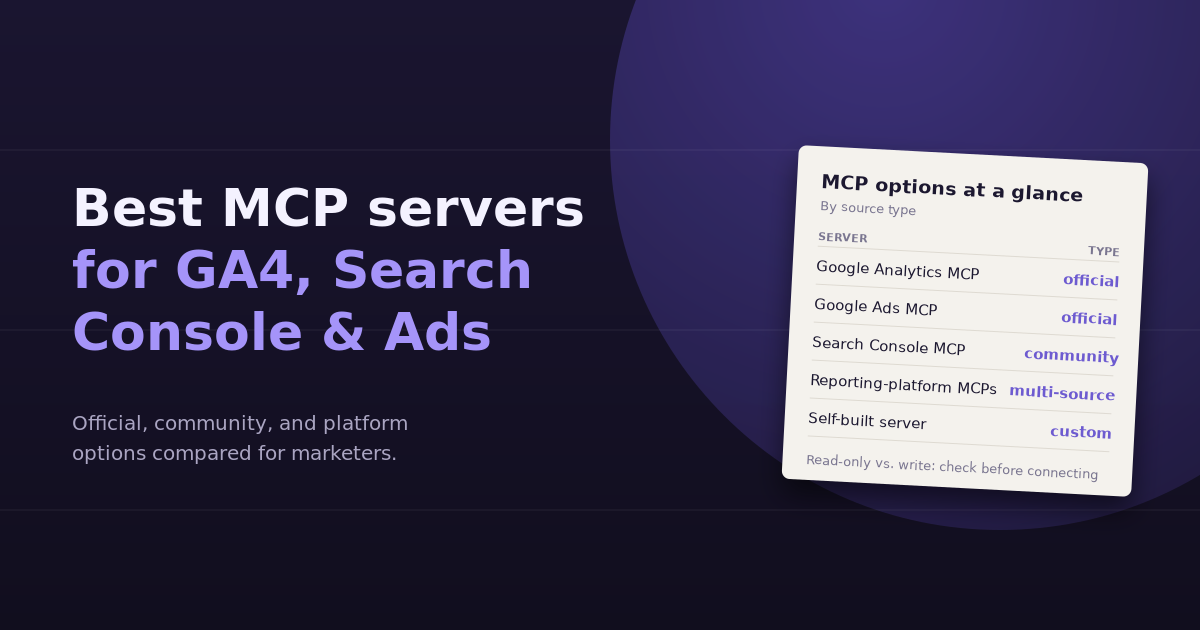
The Options at a Glance
| Option | Covers | Source | Read or write | Setup |
|---|---|---|---|---|
| Google Analytics MCP server | GA4 | Official (Google) | Read-only | Technical: Google Cloud project and credentials |
| Google Ads MCP server | Google Ads | Official (Google) | Read-only | Technical: Google Cloud project and OAuth |
| Search Console MCP servers | Google Search Console | Community | Mostly read-only; varies | Technical: service account or OAuth |
| Reporting-platform MCP servers | Many sources at once | Commercial vendors | Varies by vendor | Low: sign in through the vendor |
| Self-built server | Whatever you build | Your team | Your choice | High: development and maintenance |
MCP is moving quickly, so treat any comparison as a snapshot. Check each project’s current documentation before you connect it to a production account.
Google Analytics MCP Server (Official)
Google maintains an open-source MCP server for Google Analytics, published under its googleanalytics GitHub organization and labeled experimental. It runs locally and uses the Google Analytics Admin API and Data API to answer questions about your properties.
What it can do
- List the accounts and properties you have access to
- Retrieve property details and custom dimensions and metrics
- Run standard reports with dimensions, metrics, filters, and date ranges
- Run realtime reports
Setup
You’ll need a Google Cloud project with the Analytics APIs enabled, credentials configured on your machine (application default credentials are the common approach), and an MCP-compatible assistant that can run local servers.
Best for
Technical marketers and analysts who want a free, official, read-only way to query GA4 from an AI assistant, and who are comfortable with Google Cloud setup.
Watch for
It’s GA4-only and read-only, so questions that combine GA4 with ad spend or CRM data need additional servers and careful joining.
Google Ads MCP Server (Official)
Google also publishes an official MCP server for the Google Ads API, documented on Google’s developer site and hosted in the googleads GitHub organization. Google describes it as strictly read-only: it can query performance and settings, but it can’t change bids, pause campaigns, or create assets.
What it can do
- List the customer accounts the authenticated user can access
- Run Google Ads Query Language (GAQL) searches for metrics, budgets, and status
- Describe resources and their queryable fields, which helps the assistant build valid queries
Setup
It requires a Google Cloud project with Google Ads API access and OAuth credentials. Google’s documentation notes that developer tokens are no longer required in the latest version, with API access levels tied to the Cloud project instead. It can run locally or be deployed to Cloud Run for remote access.
Best for
PPC specialists and agencies that want an assistant to answer performance questions using live account data, without risk of unintended changes.
Watch for
GAQL is powerful but precise. The assistant has to build correct queries, so ask it to show the query it ran when results look surprising.
Search Console MCP Servers (Community)
At the time of writing, Google hasn’t published an official Search Console MCP server comparable to its Analytics and Ads servers. Several open-source community servers fill the gap, available through common MCP directories and package registries.
What they typically do
- Query search analytics: clicks, impressions, CTR, and position by query, page, country, and device
- Inspect URLs for indexing status
- List and check sitemaps
Setup
Most use a Google Cloud service account added as a user on your Search Console property, or an OAuth flow.
Best for
SEOs who want striking-distance queries, traffic-drop diagnostics, and CTR analysis in a conversation.
Watch for
Quality and maintenance vary between projects. Check how recently a server was updated, how many people use it, and exactly what permissions it requests. Prefer read-only access.
Reporting-Platform MCP Servers
Several marketing reporting and data platforms now offer their own MCP servers, which expose data from every source connected to that platform. Databox, Supermetrics, Windsor.ai, AgencyAnalytics, and Improvado have all announced MCP access in some form.
Pros
- One connection covers many sources: analytics, ads, social, CRM
- No Google Cloud setup; you authenticate through the vendor
- Data is often normalized, so metrics are named consistently across sources
Cons
- Requires a paid subscription to the underlying platform
- Your data passes through another vendor
- Capabilities and write access vary widely; read the documentation
Best for
Teams that already use one of these platforms, or that need many sources without building and maintaining individual servers.
Building Your Own
MCP has official SDKs in several programming languages, so a developer can build a server that wraps exactly the APIs and logic your team needs, including internal data warehouses. This gives full control over permissions and definitions, at the cost of development and ongoing maintenance as APIs change.
How to Choose
- List the questions you want to ask. If they’re mostly GA4-only or Ads-only, an official single-platform server may be enough.
- Count the sources. If most questions combine three or more platforms, a multi-source option will save effort.
- Decide on write access. Start read-only. Add write capabilities only with approvals and clear limits.
- Assess your team’s technical comfort. Local servers with Google Cloud credentials are fine for developers but a barrier for most marketing teams.
- Check security. Official or established vendors first; review any community server’s code and permissions.
The Alternative: Skip the Servers
MCP is one route to conversational analytics. The other is a dedicated tool where connections, definitions, and cross-source joins are already managed. Instead of wiring up three servers and teaching an assistant how your Google Ads campaigns relate to your HubSpot contacts, you connect each source once and ask questions directly. Our comparison of CSV uploads vs connected analytics covers the trade-offs, and our guide to PPC reporting tools covers dedicated options for paid media.
Frequently Asked Questions
Is there an official Google Analytics MCP server?
Yes. Google publishes an open-source, experimental MCP server for Google Analytics that uses the Admin and Data APIs. It is read-only and runs locally with Google Cloud credentials.
Can the official Google Ads MCP server change my campaigns?
No. Google describes its Google Ads MCP server as strictly read-only. It can query performance, budgets, and settings but cannot change bids, pause campaigns, or create assets.
Is there an official Search Console MCP server?
At the time of writing, Search Console relies on community-built MCP servers rather than an official Google release. Review any community server's code, maintenance history, and requested permissions before connecting it.
Which MCP server is best for non-technical marketers?
Remote servers offered by reporting platforms you already use are usually the easiest, because you sign in through the vendor rather than configuring Google Cloud credentials. Official Google servers are free but require technical setup.
Can I connect several MCP servers at once?
Yes. Most MCP-compatible assistants can use multiple servers in the same conversation. The challenge is joining data across them, which works best when campaign names and UTM parameters are consistent across platforms.
Are MCP servers free?
Official Google servers and most community servers are free and open source, though they may incur minor Google Cloud costs. Reporting-platform MCP access usually requires a paid subscription to that platform.
Want multi-source answers without managing servers? ConvoData connects GA4, Search Console, Google Ads, HubSpot, Stripe, and more in one place, so you can ask across them in plain English and take the next step from the same chat. Plans start at $39/month.