


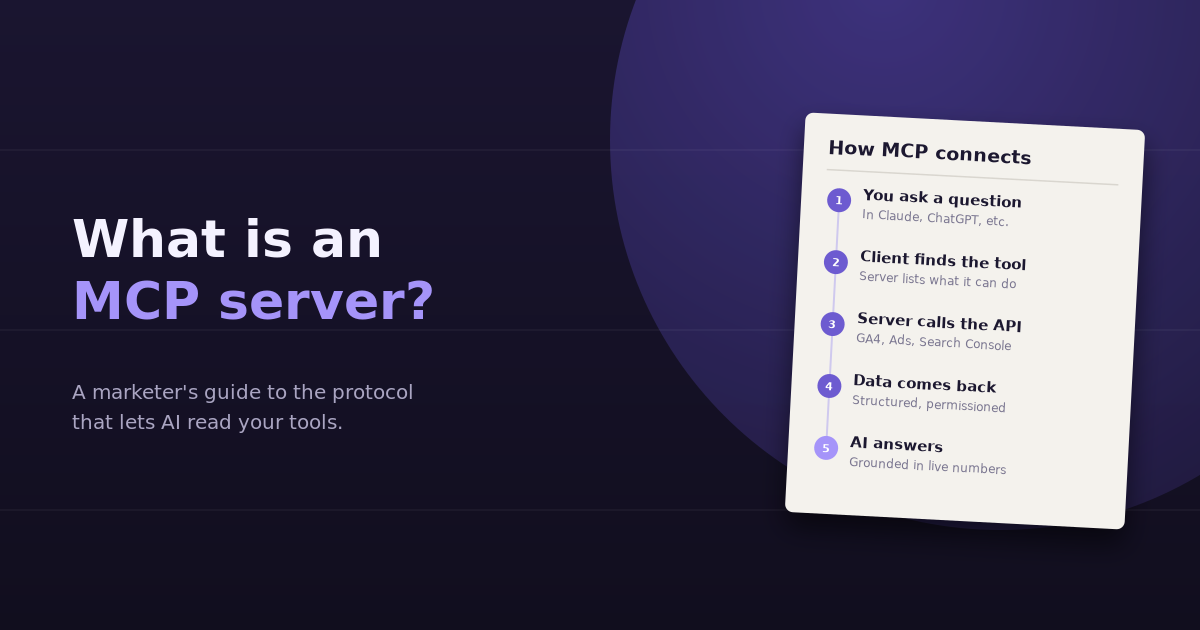
If you’ve seen analytics and ad platforms announce “MCP support” lately and wondered what it means for you, the short answer is this: an MCP server is a connector that lets an AI assistant use a specific tool or data source on your behalf. What is an MCP server, in marketing terms? It’s the reason you can ask an AI assistant “how did our Google Ads campaigns perform last week?” and get an answer based on your actual account, not a guess.
This guide explains the Model Context Protocol in plain language, how a request flows from your question to your data and back, what marketers can do with it today, and what to check before connecting anything to your accounts.
The Problem MCP Solves
AI assistants are good at reasoning, writing, and analysis, but on their own they can’t see your data. Before MCP, connecting an assistant to a tool meant one of two things: you exported data and uploaded it manually, or a developer built a custom integration between one specific AI product and one specific platform.
That doesn’t scale. Every AI product would need its own integration for every tool, and every tool would need to support every AI product. The Model Context Protocol is an open standard that replaces those one-off integrations with a common language. A platform builds one MCP server, and any AI application that supports MCP can use it.
Think of it the way USB standardized how devices connect to computers. Before, every device needed its own port. After, one standard worked everywhere.
Where MCP Came From
Anthropic introduced MCP as an open-source standard in late 2024. It has since been adopted widely across the AI industry, with support in major AI assistants and developer tools, and a fast-growing catalog of servers for databases, file storage, productivity apps, and marketing platforms. For marketers, the practical result is that more analytics, advertising, and CRM tools now offer MCP servers, either officially or through community projects.
The Three Parts of an MCP Setup
| Part | What it is | Marketing example |
|---|---|---|
| Host | The AI application you’re using | Claude, ChatGPT, or another assistant or AI-enabled tool |
| Client | The component inside the host that talks to MCP servers | Built into the assistant; you usually don’t see it |
| Server | The connector that exposes a tool or data source | A Google Analytics, Google Ads, or Search Console MCP server |
A server describes what it can do in a structured way. Most servers expose tools (actions the AI can call, such as “run a report” or “list campaigns”), and some also expose resources (data the AI can read) and prompts (reusable templates).
How a Request Actually Flows
Here’s what happens when you ask an MCP-connected assistant a marketing question:
- You ask: “Which Google Ads campaigns had the highest cost per conversion last week?”
- The assistant checks its available tools. It sees that a connected Google Ads server offers a tool for running queries against your account.
- It decides to call the tool and builds the request: the right metrics, segments, and date range.
- The server calls the platform’s API using the credentials you authorized, and returns the results.
- The assistant reads the results and answers your question, ideally showing the numbers it used.
You don’t see most of these steps. Depending on the assistant and your settings, you may be asked to approve each tool call, which is a useful safeguard, especially for tools that can change things.
Local vs Remote Servers
MCP servers run in one of two ways:
- Local servers run on your own computer. They’re common for developer tools and open-source projects, and usually need some technical setup, such as installing a package and adding credentials to a configuration file.
- Remote servers are hosted by the platform or a third party and connected over the internet, typically with a familiar sign-in flow. These are much easier for non-technical users and are increasingly how commercial platforms offer MCP access.
For most marketers, remote servers from platforms you already trust are the practical place to start.
What Marketers Can Do With MCP Today
- Ask analytics questions in plain English against live GA4 or Search Console data, without exporting reports
- Review ad performance across campaigns, ad groups, and search terms in a conversation
- Pull CRM context into analysis, such as lifecycle stages or deal values, where a CRM offers a server
- Combine sources in one conversation by connecting several servers at once
- Automate repetitive reporting by having the assistant gather the same metrics on a schedule
The limitation is the joining. Each server knows about its own platform. When a question spans Google Ads and HubSpot, the assistant has to match campaign names to contact sources itself, which works best with clean, consistent naming and UTM conventions.
What to Check Before Connecting a Server
Connecting an MCP server means giving an AI assistant access to a real account. Treat it with the same care as any third-party app.
Who built it?
Official servers from the platform, or from established vendors, are generally a safer bet than an unknown repository. Community servers can be excellent, but review them before trusting them with credentials.
Is it read-only or can it make changes?
Some servers can only read data. Others can pause campaigns, change budgets, or edit content. Know which you’re connecting, and keep approvals turned on for anything that can affect spend.
What permissions does it request?
Check the OAuth scopes or API access it needs. A reporting server shouldn’t need permission to manage users.
Where does your data go?
Understand whether the server passes data straight through or stores it, and whether a third party hosts it.
Can you revoke access easily?
You should be able to disconnect from the platform’s security or connected-apps settings at any time.
MCP Servers vs Dedicated Analytics Tools
MCP and dedicated analytics tools solve overlapping problems in different ways. With MCP, you assemble the setup yourself: choose an assistant, connect individual servers, and manage them. With a dedicated conversational analytics tool, the connections, metric definitions, and joins across sources are managed for you, and the chat interface is built specifically for marketing questions.
MCP gives you flexibility and lets you use the assistant you already prefer. A dedicated tool gives you consistency and less maintenance. Many teams use both. For the servers worth considering, see our comparison of the best MCP servers for GA4, Search Console, and Google Ads, and for the bigger picture on AI tools in analytics, our roundup of AI-powered analytics tools for marketers.
Key Terms, Quickly
- MCP (Model Context Protocol): the open standard for connecting AI applications to tools and data
- MCP server: the connector for a specific tool or data source
- MCP client/host: the AI application that uses servers
- Tool: an action a server exposes, like running a report
- Remote server: a hosted server you connect to over the internet
- Read-only: a server that can fetch data but not change anything
For more on how data moves between systems in general, our guide to data ingestion covers the fundamentals.
Frequently Asked Questions
What does MCP stand for?
MCP stands for Model Context Protocol, an open standard that defines how AI applications connect to external tools and data sources through servers.
Do I need to be technical to use an MCP server?
Not always. Remote MCP servers from established platforms usually connect through a normal sign-in flow. Local and open-source servers often require installing software and editing configuration files, which is more technical.
Is MCP only for Claude?
No. Anthropic created the standard, but it's open and has been adopted by many AI applications and developer tools. Support varies by product and plan, so check which assistants you use support MCP connections.
Can an MCP server change my ad campaigns?
It depends on the server. Some are strictly read-only, while others expose tools that can modify campaigns, budgets, or content. Check the server's documentation and keep tool-call approvals enabled for anything that affects spend.
Is it safe to connect my Google accounts to an MCP server?
It can be, if you choose trustworthy servers, review the permissions they request, understand whether they store your data, and know how to revoke access. Treat it like authorizing any third-party app.
What's the difference between an MCP server and an API?
An API is how software talks to a platform. An MCP server typically sits on top of an API and presents it to AI assistants in a standard way, describing its capabilities so the assistant knows what it can call and how.
If you’d rather skip assembling servers yourself, ConvoData connects GA4, Search Console, ad platforms, HubSpot, and Stripe in one place, so you can ask questions across them in plain English and act on the answers from the same chat. Plans start at $39/month.