


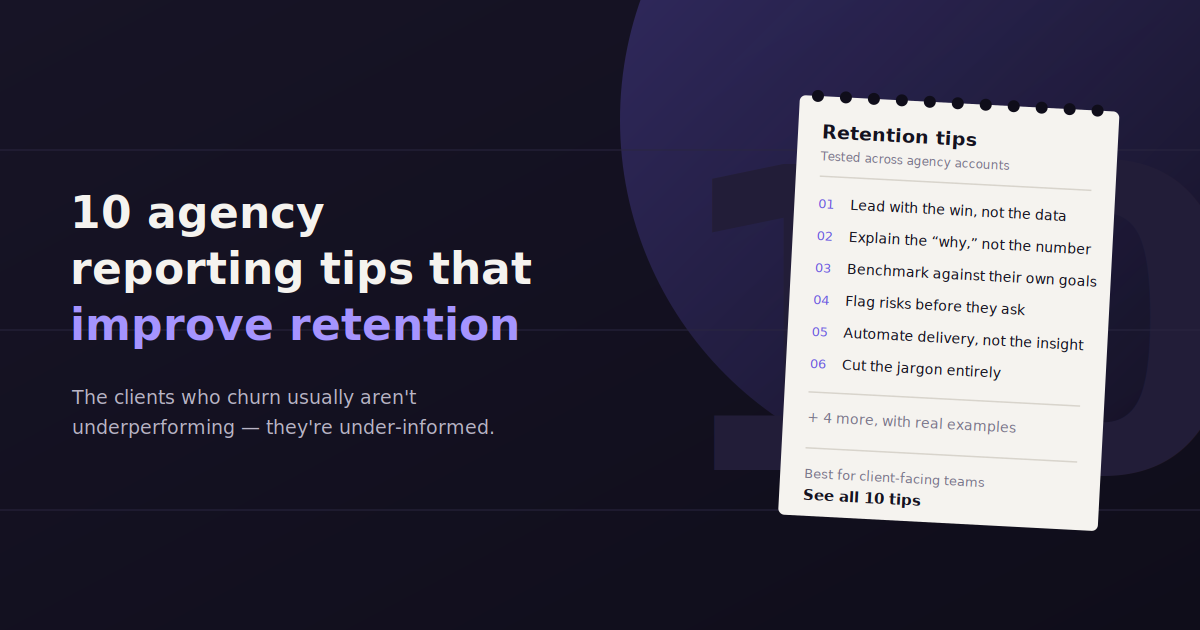
Most agency reporting advice is generic — “be clear,” “show value.” Here’s what actually moves the needle, drawn from what separates agencies with low churn from ones that lose clients quietly.
Agency reporting is the one deliverable nearly every client sees every month, which makes it a disproportionately large lever on retention relative to how much attention it usually gets.
These 10 tips cover format, timing, and process changes that compound over a full client roster, not just one-off polish.
If manual reporting is the bottleneck, a conversational tool like ConvoData can cut the data-pull time down significantly, starting at $39/month.
1. Fix Your Send Date and Never Move It
Inconsistent timing is a quiet trust-killer — a report that arrives on the 3rd one month and the 18th the next signals disorganization even when the underlying work is strong.
Put the send date on a recurring calendar block and treat it like a client meeting, not a task that can slip when the month gets busy.
2. Lead With the Answer, Not the Methodology
A client should know within ten seconds whether it was a good month. Put the headline result in the first sentence, not buried after three paragraphs of context.
3. Automate the Data Pull, Not the Judgment
Automate the repetitive part of reporting — exporting and formatting data — but keep a human review pass on the written commentary and recommendations, since that’s where the actual strategic value lives.
Manual data exports are the single biggest source of delay and inconsistency across a client roster. Automating that step frees time for the part that actually requires judgment: interpretation and recommendations.
4. Build Client-Specific Templates, Not One Generic Format
A B2B SaaS client and an ecommerce client don’t care about the same metrics. Reusing one generic template across every account reads as an agency on autopilot, even when the work itself is customized.
5. Explain Every Notable Shift in One Sentence
A number that moved without explanation reads as either luck or a mistake. A short sentence on why closes that gap and signals someone is actually watching the account closely.
6. End Every Report With Named Next Steps
Vague language like “continue optimizing” undersells the strategic work happening. Name the specific test, campaign, or change planned for next period.
7. Offer a Live Dashboard Between Reports
A shareable, always-current view reduces the “can you send me an update” emails that eat account manager time mid-month, without requiring a full ad hoc report.
8. Ask What Confused Them
After the first few reports to a new client, ask directly what wasn’t clear. This single habit surfaces formatting and framing problems faster than any internal review.
9. Reconcile Before You Send
Spot-check key numbers against the platform’s native dashboard before every send, especially right after switching reporting tools. A wrong number reaching a client once does more damage than several months of a slightly imperfect but consistent format.
10. Review the Format Every Quarter
A report built for a launch phase rarely fits a maintenance phase six months later. Revisit the format quarterly, or whenever a client’s stated goals shift, rather than letting it run unexamined for years.
Tools That Make These Tips Easier to Follow
Whatagraph and AgencyAnalytics both support templated, white-labeled reporting that clones across accounts once a master format is built, directly supporting tip 3 and tip 4.
ConvoData supports tip 7 differently — instead of a fixed dashboard, clients can ask a direct question and get a live answer plus a recommendation, starting at $39/month, which handles the between-reports question flow without an account manager in the loop.
What Client Churn Data Actually Says About Reporting
Agency churn surveys consistently rank poor or unclear communication above campaign performance as the top reason clients leave, which means the report itself is often doing more retention work than the results it describes.
It’s a counterintuitive finding for most agency owners: clients rarely leave immediately after a bad month of results. They leave after several months of not understanding whether results were good or bad, because the reporting never told them clearly.
This pattern shows up most clearly in exit interviews with churned clients, where the stated reason is often vague dissatisfaction — “we just felt like we weren’t getting enough value” — rather than a specific complaint about a metric or campaign. That vagueness is itself a signal: the client never had a clear enough picture of what was happening to point to a specific failure, so the whole relationship felt uncertain by the time they left.
This means a technically strong campaign with a confusing or inconsistent report is at higher churn risk than a mediocre campaign with clear, honest, well-timed reporting. Clients forgive a rough patch they understand; they don’t forgive a pattern of not knowing where they stand.
The practical implication is that reporting quality deserves resourcing proportional to its retention impact, not just the leftover time after campaign work is done. Agencies that treat reporting as an afterthought are often investing effort in exactly the wrong place relative to what’s actually driving churn.
How to Structure a Client Reporting Meeting, Not Just the Document
The report is the artifact; the meeting (or async walkthrough) is where retention actually gets reinforced or lost, and most agencies under-invest in the second half of that pair.
Open with the headline result, live, before opening the document. Say the one-sentence version out loud first — this sets the frame the client will use to interpret everything that follows in the report itself.
Walk through changes, not the whole report. A client doesn’t need every metric narrated; they need the two or three things that moved and why, with the rest available for reference if they want to dig in.
Reserve at least a third of the meeting for their questions, not your slides. A meeting that’s 100% presentation, 0% dialogue misses the chance to catch confusion before it turns into quiet dissatisfaction.
Close with the specific next steps and a date to revisit them. This is where tip 6 (named next steps) gets reinforced verbally, which makes it far more likely to actually stick with the client.
Reporting Mistakes That Compound Across a Client Roster
Format drift between account managers. When each account manager builds reports their own way, clients comparing notes with peers at other companies notice the inconsistency, and it reads as a lack of process rather than personalization.
Copy-pasting last month’s commentary with new numbers. Clients notice recycled language faster than agencies expect, especially phrases that don’t quite match this month’s actual data — it’s one of the fastest ways to signal that nobody is really looking closely.
No escalation path when a number looks bad. Reports that quietly include a bad month without any acknowledgment or plan create more anxiety than the bad number itself. Naming the dip and the response plan directly is almost always better than hoping it goes unnoticed.
Treating every client the same reporting cadence regardless of contract size. A retainer client paying a premium for strategic partnership expects a different reporting experience than a smaller, more transactional account — using one cadence for both under-serves one and over-serves the other.
What Good Reporting Costs vs. What It Saves
The time saved per client seems small in isolation, but it compounds fast across a full roster — an agency serving 20 clients moving from 4 hours to 1 hour per report per month recovers roughly 60 hours a month, which is close to a full-time role’s worth of capacity redirected toward strategy instead of data assembly.
| Approach | Time per Client per Month | Consistency | Typical Failure Mode |
|---|---|---|---|
| Fully manual (exports + slides) | 3–6 hours | Low — varies by account manager | Late sends during busy weeks, format drift over time |
| Template + manual data pull | 1.5–3 hours | Medium — format is fixed, data entry still manual | Data entry errors, still time-intensive at scale |
| Automated dashboard tool (e.g. Whatagraph) | 0.5–1.5 hours | High — data pull is automated | Client still has to log in or wait for the next report to get an answer |
| Conversational reporting (e.g. ConvoData) | 0.25–0.75 hours | High — data pull automated, questions answered on demand | Newer integrations still expanding (14 of 27 planned live today) |
A Simple Framework for Prioritizing Reporting Fixes
With limited time, fix the highest-churn-risk problem first: a report that arrives late or inconsistently, followed by one that’s technically on time but doesn’t explain what happened, followed by one that’s clear but visually dated.
Tier 1 — Reliability. If reports are late, inconsistent, or occasionally wrong, fix this before anything else. No amount of polish compensates for a client not being able to trust when or whether the report will arrive.
Tier 2 — Clarity. Once reliability is solid, focus on whether the client can tell, in under a minute, whether the month was good or bad and why. This is where tips 2 and 5 apply directly.
Tier 3 — Proactivity. With reliability and clarity handled, add the layer that separates a good agency from a great one: named next steps, a between-reports access point, and periodic checks on what’s actually landing with the client.
Agencies often try to fix Tier 3 issues — better visuals, more sophisticated dashboards — while Tier 1 problems are still unresolved, which is backwards from how clients actually experience and judge reporting quality. A visually polished report that arrives inconsistently still reads as unreliable, no matter how good the design looks on any single occasion.
These tips work best alongside a clear sense of which numbers actually matter — see our guide to the agency metrics and KPIs every owner should track. For the bigger-picture strategy these reports feed into, our piece on agency client retention covers what keeps accounts renewing beyond the reports themselves. And if you are deciding what format a given report should even take, see our breakdown of the different types of business and marketing reporting.
Frequently Asked Questions
How often should agencies send client reports?
Monthly is standard for most retainers, with live dashboard or conversational access available for clients who want more frequent visibility between formal reports.
What's the single biggest reporting mistake agencies make?
Sending numbers without explanation, forcing the client to guess whether a change is good or bad instead of telling them directly.
Can agency reporting be fully automated?
The data pull and formatting can be automated with tools like Whatagraph or ConvoData, but the written context and recommendations still benefit from a human review pass.
How do I improve reporting for an agency with limited time?
Start with the highest-leverage fix: automate the data pull first, since it's usually the biggest time sink and the easiest to delegate to a tool without losing quality.
Does poor reporting really cause client churn, or is it just campaign performance?
Agency churn surveys consistently show unclear communication ranking above campaign performance as a stated reason for leaving. Clients tend to tolerate a rough patch of results they understand better than they tolerate not knowing where they stand.
Should every client get the same reporting cadence?
No — a premium retainer client and a smaller transactional account typically expect different levels of reporting depth and frequency. Matching cadence to contract size and stated expectations avoids over-serving one type of account and under-serving the other.
What should an agency fix first if reporting has multiple problems?
Reliability first — inconsistent timing or occasional errors undermine trust more than anything else. Once reports arrive on time and are accurate, focus on clarity (can the client tell in under a minute whether it was a good month), then proactivity.
How much time does automated reporting actually save an agency?
Agencies moving from fully manual reporting (3-6 hours per client per month) to an automated or conversational tool (0.25-1.5 hours) typically recover the equivalent of a full-time role's worth of capacity across a roster of 15-20 clients, which can be redirected into strategy and account growth.
Should account managers use their own reporting format for each client?
A shared master template with client-specific metric selection works better than fully custom formats per account manager. Format drift across a roster reads as inconsistency to clients who compare notes, even when each individual report is well made.
Pick one tip from this list you’re not currently doing, apply it to your next report, and track whether follow-up questions from that client change — small format fixes compound faster than most agencies expect.