


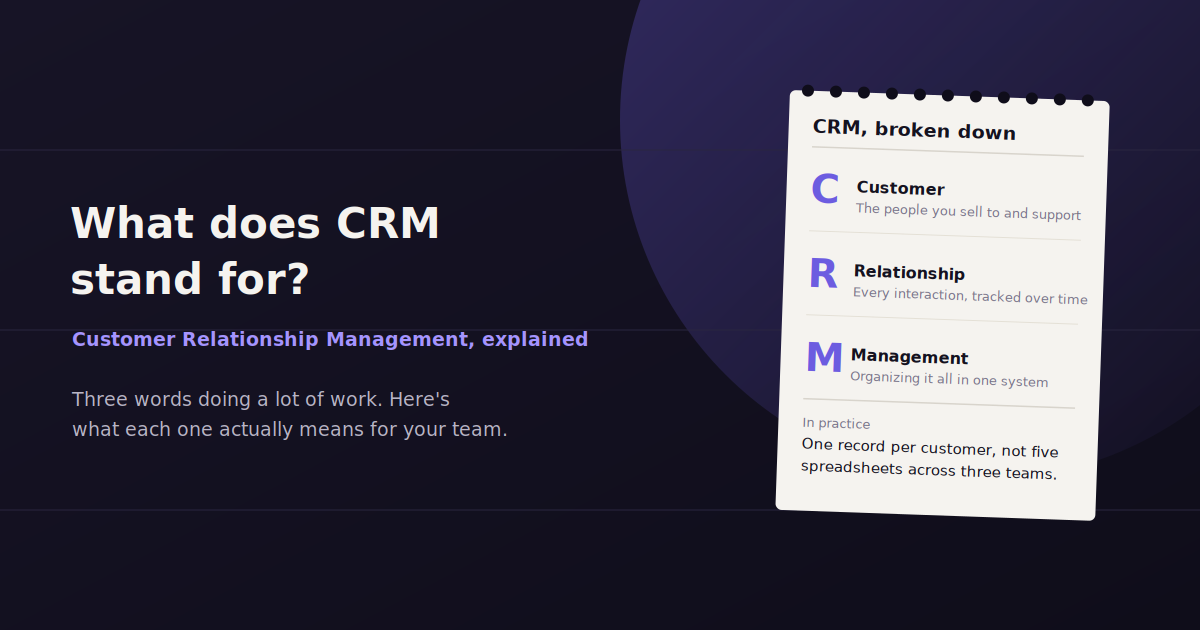
CRM stands for Customer Relationship Management. It’s a term that gets used two ways in business conversation — as a general approach to managing customer relationships, and as shorthand for the software businesses use to actually do that.
If someone tells you “we need to get our CRM in order” or “check the CRM before you call that lead,” they almost always mean the software: a system that stores contact records, tracks interactions, and organizes the sales and support process around real customer data instead of scattered notes and inboxes.
This guide breaks down what CRM actually stands for, what a CRM system does day to day, the features that show up across most CRM platforms, and how the data sitting inside a CRM connects to marketing reporting.
CRM Meaning: Customer Relationship Management
CRM is an acronym for Customer Relationship Management — the practice of managing a company’s interactions with current and prospective customers in an organized, trackable way.
As a concept, CRM predates the software. Businesses have always tried to manage customer relationships, whether that meant a rolodex of contact cards, a shared spreadsheet, or a sales rep’s personal memory of who they last talked to and what was said.
What changed is that CRM software turned that practice into a system — a shared, searchable record that an entire team can see and update, instead of information living in one person’s inbox or head.
So when people say “CRM,” they’re usually referring to the software category, even though the letters technically describe the broader discipline of managing customer relationships well.
What a CRM System Actually Does
At its core, a CRM system is a database of people and companies your business interacts with, paired with a record of every touchpoint — calls, emails, meetings, purchases, support tickets — tied to each contact.
Instead of a salesperson keeping notes in a personal spreadsheet, everything about a lead or customer lives in one shared record that a manager, a teammate covering for someone on vacation, or a support rep can pull up instantly.
Most CRMs also organize contacts into a pipeline or stage — new lead, contacted, qualified, proposal sent, closed — so a sales team can see exactly where every deal stands without asking around.
Beyond sales, CRMs are used by marketing teams to segment audiences for campaigns and by support teams to see a customer’s full history before responding to a ticket, which is part of why CRM has become a shared system across departments rather than a sales-only tool.
Core Features of a CRM
Most CRM platforms share a common feature set: contact and company records, deal or pipeline tracking, activity logging, email integration, task reminders, reporting dashboards, and increasingly, marketing automation built into the same system.
Contact and company records — a centralized profile for every person and business the company interacts with, including contact details and relationship history.
Pipeline or deal tracking — a visual view of where each prospective sale stands, from first contact through closed-won or closed-lost.
Activity logging — a timeline of calls, emails, meetings, and notes tied to each contact, so anyone on the team can see the full history.
Task and follow-up reminders — automated prompts so leads don’t go cold because someone forgot to follow up.
Email integration — syncing a rep’s inbox with the CRM so messages are automatically logged against the right contact.
Reporting and dashboards — built-in views of pipeline value, win rates, deal velocity, and rep performance.
Segmentation and lists — the ability to group contacts by attributes or behavior for targeted outreach or campaigns.
Integrations — connections to email marketing tools, support software, and other systems so customer data doesn’t stay siloed in the CRM alone.
Why Businesses Use a CRM
The most immediate reason businesses adopt a CRM is to stop losing track of leads. Without a shared system, a lead that comes in on a Friday afternoon can easily fall through the cracks if the person who received it gets pulled onto something else.
A CRM also removes the dependency on any one person’s memory or personal notes. If a sales rep leaves the company, their deals and contact history stay with the business instead of walking out the door with them.
For managers, a CRM provides visibility that’s otherwise impossible to get — how many deals are in each stage, which reps are converting well, and where deals tend to stall — without having to ask every rep individually for a status update.
There’s also a customer-facing benefit: when support, sales, and marketing all work from the same record, a customer doesn’t have to repeat their history every time they talk to someone new at the company.
Popular CRM Examples
There are dozens of CRM platforms on the market, ranging from simple contact managers to enterprise systems built for thousands of users. A few tend to come up most often across small businesses, agencies, and larger sales organizations.
HubSpot is one of the most widely used CRMs, in part because it offers a free tier and bundles marketing, sales, and support tools around the same contact database, which makes it a common starting point for growing businesses.
Salesforce is generally considered the enterprise standard, built for large, complex sales organizations with heavy customization needs. Pipedrive is popular among smaller sales teams that want a simpler, pipeline-first interface without as much overhead.
Zoho CRM is often chosen by businesses that want a lower-cost option bundled with a wider suite of business software, while Microsoft Dynamics 365 tends to show up in organizations already standardized on the Microsoft ecosystem.
How CRM Data Feeds Into Marketing Reporting
A CRM isn’t just a sales tool — it’s also one of the most useful data sources a marketing team has, because it holds the ground truth on what happened after a lead came in.
Ad platforms and website analytics can tell you how many people clicked or filled out a form, but only the CRM can tell you which of those leads actually turned into a qualified opportunity, a closed deal, or real revenue.
That’s why marketing reporting that stops at clicks and form fills tends to miss the point — connecting CRM data to campaign data is what shows whether a channel is actually driving business results, not just traffic.
In practice, this means pulling deal stage, deal value, and close data out of the CRM and lining it up against the campaign, channel, or keyword that originally generated the lead, so spend can be judged by revenue rather than by volume alone.
This is one of the places a tool like ConvoData fits in — by connecting a CRM alongside ad platforms and analytics, a marketer can ask a direct question like which channel is producing the most closed deals this quarter and get an answer that ties campaign spend to actual CRM outcomes, rather than manually cross-referencing two separate systems.
Signs Your Business Needs a CRM
There’s rarely one obvious moment a business needs a CRM. More often, a handful of small frustrations pile up until someone finally says the spreadsheet isn’t working anymore.
A few patterns tend to show up right before that switch happens.
Leads are getting missed — follow-ups fall through because they only existed in one person’s inbox or notebook.
Nobody can answer “where do things stand” — a manager has to ask each rep individually instead of checking one shared view.
Handoffs lose information — a deal moves from sales to onboarding and half the context gets lost in the transition.
Reporting takes too long to compile — pulling pipeline numbers means manually combing through several people’s spreadsheets.
Customer history lives in someone’s memory — if that person is out sick or leaves, the relationship context leaves with them.
Cloud CRM vs. On-Premise CRM
Most CRM platforms today are cloud-based, meaning the software runs on the vendor’s servers and is accessed through a browser, with updates and maintenance handled by the provider rather than an internal IT team.
On-premise CRM systems, where the software is installed and maintained on a company’s own servers, are far less common now but still show up in some larger enterprises or heavily regulated industries with strict data residency requirements.
For most small and mid-sized businesses, cloud CRM is the practical default — it requires no dedicated infrastructure, updates automatically, and is generally faster to get running than an on-premise deployment.
The tradeoff worth knowing about is that cloud CRM data lives with a third-party vendor, so it’s worth checking a platform’s data export options and security practices before committing, especially for businesses in regulated industries.
Choosing the Right CRM for Your Team
The right CRM depends far more on team size and process than on brand recognition. A five-person sales team and a five-hundred-person enterprise sales org need very different levels of customization, and picking the bigger platform “just in case” often just adds unused complexity.
It’s worth mapping out the actual sales and support process first — the stages a lead moves through, who touches it at each point, and what data matters at each stage — before comparing specific CRM platforms against that list.
Ease of adoption matters more than most buyers expect going in. A CRM that the sales team finds tedious to update will quietly stop getting used, and stale CRM data is often worse than no CRM at all, since it creates false confidence in numbers nobody trusts.
CRM data is what makes lead quality measurable in the first place — see our guide to lead generation KPIs for the metrics that typically live downstream of a CRM. And if outreach is one of your primary channels, our guide to direct marketing channels covers how CRM data usually gets put to use there.
Frequently Asked Questions
What does CRM stand for?
CRM stands for Customer Relationship Management, referring both to the practice of managing customer interactions and, more commonly in everyday use, to the software businesses use to do it.
What is a CRM system used for?
A CRM system is used to store contact and company records, track sales pipeline stages, log customer interactions, and give sales, marketing, and support teams a shared view of every customer relationship.
Is HubSpot a CRM?
Yes. HubSpot is a widely used CRM platform that also bundles marketing, sales, and customer service tools around the same contact database, and it offers a free entry tier.
Do small businesses need a CRM?
Most businesses benefit from a CRM once they have more than a handful of leads or customers to track, since spreadsheets and personal notes tend to break down once follow-ups and history become hard to manage manually.
What is the difference between CRM and marketing automation?
A CRM primarily manages contact records and sales pipeline, while marketing automation focuses on running campaigns like email sequences at scale. Many platforms, including HubSpot, combine both under one system.
How does CRM data connect to marketing reporting?
CRM data shows what happened after a lead converted — whether it became a qualified opportunity or closed revenue — which is information ad platforms and analytics tools alone can't provide. Combining the two shows which marketing channels actually drive revenue, not just traffic.
Is CRM software the same as a database?
A CRM is built on top of a database, but it adds structure specific to managing relationships — pipeline stages, activity timelines, task reminders, and reporting — that a generic database or spreadsheet doesn't provide on its own.
Should a small business use a free CRM or pay for one?
Free tiers, like HubSpot's, are often enough for a small team just starting to formalize their process. Paid plans typically add automation, reporting depth, and higher contact limits, which tend to become necessary as the team and pipeline grow.
Want to see which campaigns are actually turning into closed deals, not just clicks? ConvoData connects your CRM alongside your marketing platforms so you can ask a plain-English question and get a straight answer, starting at $39/month.