


Most agencies lose 15 to 20 hours a month pulling rank data, traffic numbers, and backlink counts into a deck a client will skim in five minutes.
The right SEO reporting tools cut that time to under an hour by pulling live data straight from Google Search Console, GA4, and your rank tracker into one branded dashboard.
A newer category skips the dashboard entirely: conversational AI tools like ConvoData let you ask a plain-English question and get an instant answer pulled straight from your connected data, plus a suggested next step.
This guide ranks the eight tools agencies actually rely on in 2026, based on connector depth, white-label quality, and how fast they get a first report out the door.
Why Manual SEO Reporting Is Costing Your Agency More Than Time
Every hour spent copying rankings into a spreadsheet is an hour not spent on the strategy work clients actually pay a premium for.
Manual reports also introduce a quieter cost: version drift. When three team members build reports slightly differently, clients notice the inconsistency before they notice the results.
Agencies that switch to automated reporting typically reclaim two to three billable days per account manager each month — time that goes straight back into keyword research, content briefs, or link outreach.
Copy-paste errors creep into hand-built reports and undermine client trust when a number doesn’t match what they see in their own GA4 account.
Delayed reports slip past the 1st of the month when someone is on vacation or juggling five other client decks at once.
Inconsistent formatting across account managers makes an agency look smaller and less organized than it actually is.
What to Look for in an SEO Reporting Tool
A strong SEO reporting tool combines native connectors to Search Console and GA4, automated rank tracking, white-label branding, and scheduled delivery — so agencies stop rebuilding the same report by hand every month.
Native data connectors — direct API links to Google Search Console, GA4, and major rank trackers instead of manual CSV uploads.
White-label output — your logo, your domain, your color palette on every PDF or shared link, not the vendor’s branding.
Automated scheduling — reports that land in a client’s inbox on the 1st of the month without anyone touching a spreadsheet.
Historical data retention — at least 24 months of history so you can show trend lines, not just a single snapshot.
Multi-client management — templates you build once and clone across every account instead of rebuilding from scratch.
Alerting — a way to flag a ranking drop or traffic dip the day it happens, not 30 days later in the monthly PDF.
The 8 Best SEO Reporting Tools for Agencies
Each tool below serves a different type of agency — from five-person shops to enterprise teams managing 50+ accounts. Pricing reflects entry-level published plans as of 2026; confirm current rates before you commit.
We evaluated each platform on four criteria: connector breadth, white-label depth, automation quality, and total cost at 10 connected client accounts — a size where manual reporting starts to genuinely hurt margins.
| Tool | Best For | Starting Price |
|---|---|---|
| ConvoData | Conversational AI insights on a budget | $39/mo |
| Whatagraph | Mid-size agencies wanting AI summaries | ~$199/mo |
| AgencyAnalytics | Agencies that want built-in rank tracking | ~$59/mo |
| Looker Studio | Google-stack teams on a tight budget | Free |
| DashThis | Small teams needing fast setup | ~$49/mo |
| TapClicks | Enterprise agencies with 100+ clients | Custom |
| Databox | Teams that want real-time alerting | ~$59/mo |
| Swydo | PPC-heavy agencies adding SEO reporting | ~$49/mo |
1. ConvoData — Best for Conversational, AI-Driven SEO Insights
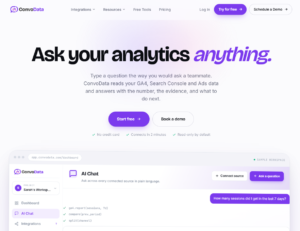
ConvoData skips the dashboard-building step entirely. Instead of assembling widgets, you connect your data sources and ask a question in plain English — “which pages lost rankings this month and why” — and get an instant answer pulled live from Search Console and GA4, plus a suggested next step.
That last part matters: most tools stop at showing you a number. ConvoData’s conversational engine goes a step further and proposes a strategy response, which is closer to what a client actually wants from a report in the first place.
It currently ships 14 live integrations out of a 27-integration roadmap, with new connectors shipping on a regular cadence — worth a quick check that your specific stack is covered before you migrate a client.
At $39/month to start, it’s the most affordable full-featured option on this list, undercutting Whatagraph’s entry price by roughly 80% while covering the same core SEO data sources.
Pros: lowest starting price on this list, conversational interface removes dashboard-building time entirely, answers come with a recommended action, not just a number
Cons: connector library is still expanding (14 of 27 planned integrations live today)
2. Whatagraph — Best for AI-Written Report Summaries
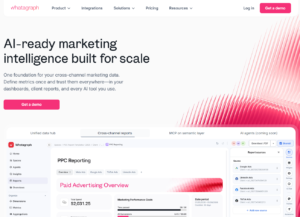
Whatagraph blends data from 50+ marketing and SEO sources into linked templates you can push across every client account in a few clicks.
Its standout feature is AI-generated commentary that explains *why* rankings moved, not just that they did — useful for agencies who bill for strategic insight, not just data pulls.
Setup takes roughly an afternoon for your first three clients once you’ve built a master template, and cloning it to new accounts takes minutes rather than hours.
The tradeoff against ConvoData is cost and interaction model: Whatagraph still centers on building and maintaining dashboard templates, at roughly five times ConvoData’s entry price.
Pros: fast setup, strong white-label PDF and live-link output, AI narrative summaries
Cons: pricing climbs quickly once you pass 10 connected data sources
3. AgencyAnalytics — Best Built-In Rank Tracking
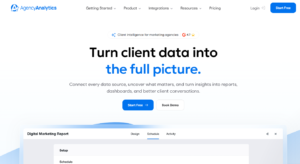
AgencyAnalytics bundles a rank tracker directly into the platform, so you’re not paying for Ahrefs or SEMrush just to populate a ranking widget.
It also includes automated site audits, which catch technical issues before a client asks why traffic dropped.
Per-client pricing tiers make cost predictable as you scale — you know roughly what account 15 will cost before you sign it.
Pros: rank tracking and site audits included, per-client pricing scales predictably
Cons: dashboard customization is less flexible than Whatagraph or Databox
4. Looker Studio — Best Free Option
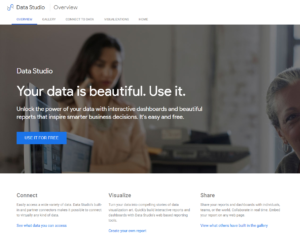
Looker Studio (formerly Google Data Studio) is free and connects natively to Search Console, GA4, and BigQuery.
The tradeoff is time: building a polished, white-labeled template from scratch takes real hours, and non-Google data sources often need a paid connector like Supermetrics.
It’s the right call for agencies with a technical team member willing to invest a weekend building a reusable master template once.
Pros: zero cost, deep Google-ecosystem integration, full design control
Cons: steep build time, third-party connectors add ongoing cost
5. DashThis — Fastest Setup for Small Teams
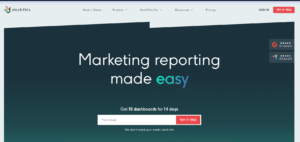
DashThis prioritizes speed: pick a template, connect your sources, and a dashboard is live in under 20 minutes.
It’s priced per dashboard rather than per user, which suits small agencies running lean teams across many accounts.
The interface trades some customization depth for simplicity, which is a fair swap for a two- or three-person shop that needs a report out the door today.
6. TapClicks — Built for Enterprise Scale
TapClicks targets agencies managing dozens or hundreds of clients, with workflow and order-management features layered on top of reporting.
It’s overbuilt for a five-client shop but genuinely useful once reporting becomes an operations problem, not just a design one — think approval chains, role-based access, and bulk report generation.
Expect a sales call rather than a self-serve signup; pricing is quoted based on client count and connector volume.
7. Databox — Best for Real-Time Alerts
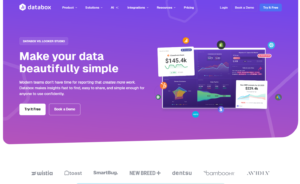
Databox pushes live metrics to Slack or mobile so you catch a ranking drop or traffic spike the day it happens, not at month-end.
Its scorecards work well for internal SEO teams that want an always-on view rather than a static monthly PDF.
The tradeoff is that Databox leans more toward live dashboards than polished client-facing PDFs, so pair it with a lightweight export tool if clients expect a formal document.
8. Swydo — Best for PPC Agencies Adding SEO
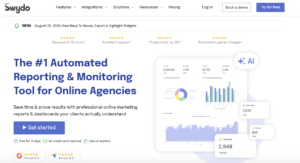
Swydo started as a PPC reporting tool and added SEO connectors later, so it’s a natural fit for agencies who already report on paid media and want one platform for both.
Pricing is based on connected data sources rather than seats, which keeps costs predictable as you add clients.
If your team already lives in Swydo for Google Ads and Meta reporting, adding SEO data sources is a lighter lift than onboarding an entirely new platform.
ConvoData vs. Whatagraph: Which Fits Your Agency
ConvoData starts at $39/month and answers questions conversationally with a recommended action attached; Whatagraph starts around $199/month and centers on building and cloning dashboard templates. Pick ConvoData if you want speed and budget efficiency, Whatagraph if you need the widest connector library today.
Both tools use AI to explain performance shifts, but the delivery model is different. Whatagraph’s AI adds narrative commentary on top of a dashboard you still design and maintain.
ConvoData removes the dashboard step — you ask, it answers, and it tells you what to do about it — which suits agencies that want insight fast without a template-building phase.
If your top priority is the broadest possible connector count today, Whatagraph’s larger library still has an edge. If budget efficiency and speed to first answer matter more, ConvoData’s $39/month entry point and conversational model are hard to beat.
How to Choose the Right Tool for Your Agency
Match the tool to your agency size and budget: budget-conscious agencies wanting AI insight without a dashboard build should start with ConvoData; 10 to 50 clients benefits from AI summaries and rank tracking in Whatagraph or AgencyAnalytics; 50+ clients need enterprise workflow tools like TapClicks.
Start by counting how many hours your team currently spends on reporting each month, then price out how much of that time a tool would realistically save.
A $39 to $200/month tool that saves 15 hours pays for itself fast at any reasonable billing rate — the math rarely favors staying manual.
Next, map the tool against your actual client count today, not the roster you hope to have in a year. Overbuying enterprise features early just adds cost without adding capacity you can use yet.
Budget-conscious, want AI without a build: ConvoData — conversational queries from $39/month, no dashboard setup required.
1–9 clients, zero software budget: Looker Studio or DashThis — low cost, fast to launch.
10–50 clients: Whatagraph or AgencyAnalytics — AI summaries and built-in rank tracking start paying for themselves at this volume.
50+ clients: TapClicks — workflow and approval features matter more than raw dashboard polish once reporting becomes an operations function.
Common Mistakes Agencies Make When Switching Reporting Tools
The biggest mistake is migrating every client at once. Move your three most patient accounts first, work out template kinks, then roll out to the rest.
The second is skipping a side-by-side comparison for one full reporting cycle — run the new tool alongside your old process for one month before fully switching, so a data mismatch doesn’t reach a client unnoticed.
Finally, agencies often forget to retire the old workflow. If your team can still open the old spreadsheet template, someone eventually will — archive it once the new tool is live.
A Simple Migration Checklist for Your First 30 Days
Switching reporting tools mid-retainer feels riskier than it is if you break the rollout into small, reversible steps.
Week 1: Connect a single low-risk client account and, if you’re trying ConvoData, ask it the same three questions you’d normally answer manually.
Week 2: Send that client both the old and new report side by side, and confirm every number matches before you drop the manual version.
Week 3: Clone the template (or the connected data sources, for ConvoData) to your next five accounts and adjust any client-specific metrics or goals.
Week 4: Migrate the rest of the roster, archive the old templates, and document the new process so a new hire can run it without a walkthrough.
Frequently Asked Questions
How much do SEO reporting tools cost for agencies?
Entry-level plans range from $39 to $200 per month — ConvoData starts at $39/month, mid-tier platforms like AgencyAnalytics and Databox run $49–$59/month, and Whatagraph starts around $199/month — with enterprise platforms like TapClicks running into custom quotes.
What is a conversational AI SEO reporting tool?
It's a tool like ConvoData that skips manual dashboard-building — you connect your data sources and ask questions in plain English, and it returns live answers plus a suggested next step, instead of requiring you to design and maintain report templates.
Can I white-label an SEO report for free?
Yes — Looker Studio lets you build fully white-labeled reports at no cost, though you'll spend more setup time than with a paid, template-driven tool.
How often should agencies send SEO reports to clients?
Monthly is standard for most retainers, though agencies managing volatile accounts or larger budgets often add a lightweight weekly Slack or dashboard check-in between full reports.
Do SEO reporting tools replace a rank tracker like Ahrefs or SEMrush?
Some do — AgencyAnalytics and Whatagraph include native rank tracking — while others, like Looker Studio, require you to keep a separate rank-tracking subscription and connect it as a data source.
How long does it take to set up an SEO reporting tool for a new agency?
Template-driven platforms take two to four hours to configure a reusable master template. A conversational tool like ConvoData typically takes less time, since there's no template to design — just connect your sources and start asking questions.
Ready to stop building dashboards and start getting answers? Connect your first client account to ConvoData, ask it your first SEO question, and see the recommendation it returns — plans start at $39/month.
Whichever tool you land on, it is worth benchmarking it against a few real SEO dashboard examples before committing. If you would rather build your own reporting layer than buy one, our guide to building an SEO dashboard combining GA4, GSC, and Ahrefs walks through it, and pairing either approach with solid keyword rank monitoring keeps client reports accurate week to week.