


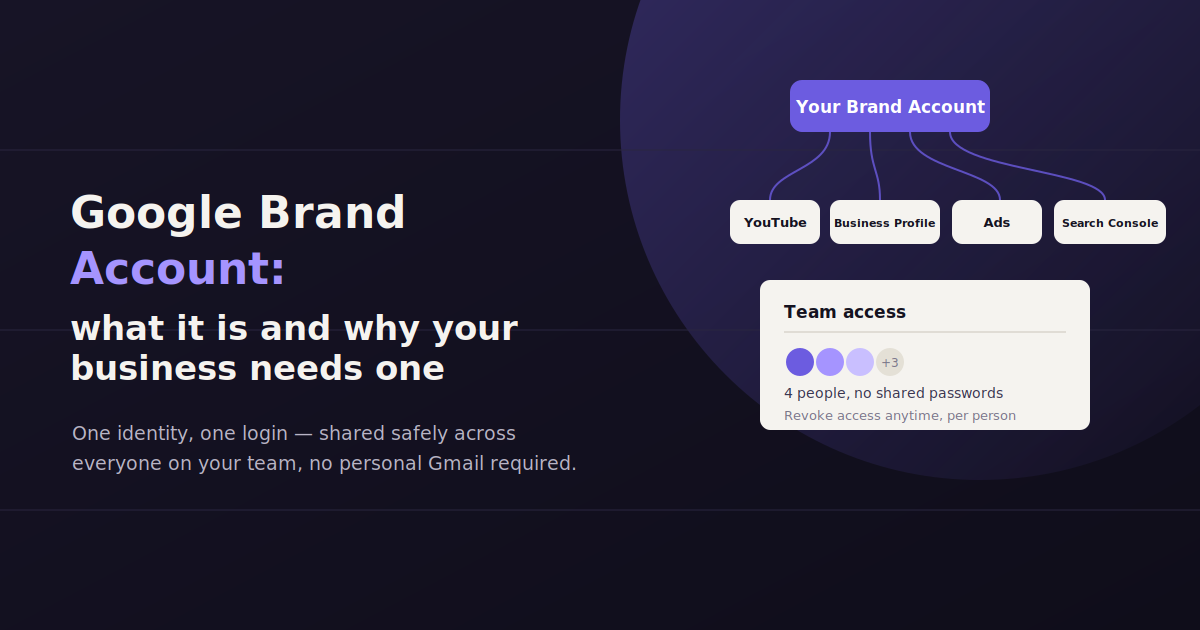
A surprising number of businesses run their YouTube channel, Google Business Profile, and Google Ads account through one employee’s personal Gmail login — and don’t realize the risk until that employee leaves and takes the keys with them.
A Google Brand Account solves this by separating a business’s Google presence from any individual’s personal account, so ownership and access belong to the business itself.
This guide covers what a Brand Account actually is, how it differs from a personal Google account, how to create and manage one, and the mistakes that cause businesses and agencies the most pain down the line.
What Is a Google Brand Account?
A Google Brand Account is a Google account type designed to represent a business, product, or organization rather than an individual — it can be managed by multiple people, each using their own personal Google login, without sharing a single set of credentials.
A Google Brand Account is a Google account created to represent something other than a person — a company, a product line, a nonprofit, or a specific initiative. It’s used most often for YouTube channels, Google Business Profiles, and to manage other Google properties on behalf of an organization.
The key difference from a personal Google account is that a Brand Account isn’t tied to a single login. Instead, it’s managed by one or more personal Google accounts that have been granted access as owners or managers, which means access can be added or removed without ever changing a password.
Think of it less like a separate account with its own username and password, and more like a shared asset that authorized personal accounts can access — similar in spirit to how multiple people can be granted admin access to a company’s social media page without sharing one login.
Brand Account vs. Personal Google Account
A personal Google account belongs to one individual and is tied to their personal login; a Brand Account represents a business and can be managed by multiple people simultaneously, each accessing it through their own separate Google login.
Every Brand Account is connected to at least one personal Google account, since someone has to be logged in to Google to manage it. But the Brand Account itself exists as a distinct entity, with its own name, YouTube channel, and Business Profile listings.
This distinction matters most when ownership needs to change. If a business’s YouTube channel lives directly on an employee’s personal Gmail account, transferring it when that person leaves means either keeping their personal account active indefinitely or going through Google’s account recovery and transfer processes, which can be slow and isn’t guaranteed to succeed.
If the same channel lives on a Brand Account instead, removing that employee’s access and adding a replacement takes a few clicks, with zero disruption to the channel, its subscribers, or its watch history.
| Aspect | Personal Google Account | Brand Account |
|---|---|---|
| Ownership | Tied to one individual | Represents the business or product |
| Access | Single login only | Multiple managers, each with their own login |
| Transferring access | Requires sharing or changing the login | Add or remove managers in a few clicks |
| Typical use | Personal Gmail, personal YouTube | Company YouTube channel, Business Profile, shared Ads access |
Why Businesses and Agencies Need a Brand Account
The core problem a Brand Account solves is continuity. Businesses change staff, agencies change client rosters, and personal email addresses eventually get deactivated — none of that should put a company’s YouTube channel or Business Profile at risk.
For agencies specifically, Brand Accounts are close to essential. An agency managing a dozen clients’ YouTube channels or Business Profiles through the agency’s own personal logins creates a single point of failure: if that one team member leaves, every client account they touched is affected at once.
Brand Accounts also make offboarding clean. When a client relationship ends, an agency simply removes itself as a manager on the client’s Brand Account rather than having to hand over a personal login and hope the client resets it properly.
Continuity — the account survives staff changes, agency transitions, and personal email deactivations without disruption.
Clean access control — add or remove managers instantly, without ever sharing or resetting a password.
Multiple simultaneous managers — several team members or an entire agency team can have appropriate access at the same time.
Separation from personal identity — the business’s YouTube comments, Business Profile reviews, and Ads account aren’t tangled up with one person’s personal Google activity.
How to Create a Google Brand Account
Creating a Brand Account is a short process, and in some cases Google creates one automatically the first time you set up a YouTube channel or Business Profile under a business name rather than your own.
The general steps are similar across the products that use Brand Accounts, though the exact screens vary slightly depending on whether you’re starting from YouTube, Google Business Profile, or Google’s account settings directly.
Sign in with the personal Google account that will become the first manager of the Brand Account — this should ideally be a real person’s account the business controls, not a shared inbox.
Start the creation flow from the relevant product — for example, choosing “Create a channel” in YouTube and selecting a custom name instead of your own, or setting up a new Google Business Profile.
Name the Brand Account using the actual business or product name, since this becomes the public-facing name on YouTube or the account name in Business Profile.
Add additional managers immediately after creation, so the account isn’t dependent on a single login from day one.
Confirm the account type in Google’s account settings if you’re unsure — Brand Accounts are listed separately from your personal account when you check “Manage your Google Account.”
Managing Ownership, Access, and Transfers
Google Brand Accounts support two access levels — Owners, who can manage other users and delete the account, and Managers, who can perform most day-to-day tasks — and ownership can be transferred by promoting a new owner and removing the old one, without ever changing a password.
Brand Accounts use a permission system built around a small number of roles, which makes day-to-day access management straightforward once it’s set up correctly.
Understanding these roles — and building the habit of updating them promptly when staff or client relationships change — is the single biggest factor in avoiding access headaches later.
Owner vs. Manager Roles
A Brand Account typically has two access levels. Owners have full control, including the ability to add or remove other users and delete the account entirely. Managers can handle most day-to-day work — posting to YouTube, responding to Business Profile reviews, managing settings — but can’t remove other users or delete the account.
A healthy setup has at least two owners at all times, ideally people in different roles or departments, so account access never depends on a single person being reachable.
Transferring Ownership
Ownership transfers happen by adding the new owner first, confirming their access works correctly, and only then removing the departing person’s access. Doing it in that order avoids any gap where the account temporarily has no reachable owner.
This is especially relevant when an employee leaves a company or when an agency relationship ends. Instead of resetting a password or scrambling to regain access to a personal account, the business simply promotes a current employee to owner and removes the former one — the channel, listing, or ad account itself is never touched.
Removing Access Cleanly
Removing a manager or owner from a Brand Account doesn’t affect their personal Google account at all — it only removes their access to that specific Brand Account. This is one of the most underappreciated advantages over sharing a single login: offboarding is instant and doesn’t require anyone to change a password they might reuse elsewhere.
It’s worth doing a periodic audit of who has access to each Brand Account, especially for agencies managing several client accounts, since access lists tend to grow over time as people join projects and rarely get cleaned up when they leave.
Common Use Cases for a Google Brand Account
Brand Accounts show up across several core Google products, and most businesses end up using them for more than one purpose without necessarily realizing it’s the same underlying account structure each time.
YouTube channels — the most common use case; a Brand Account lets a channel be managed by multiple team members and survive staff turnover.
Google Business Profile — the listing that controls how a business appears in Google Search and Maps, including hours, reviews, and photos.
Google Ads access — while Google Ads accounts have their own account structure, they’re often linked to and managed through the same Brand Account credentials as other business properties.
Google Search Console — verifying and managing search performance data for a website, particularly useful when multiple team members or an agency need shared access.
Google My Maps and other shared business tools — less common, but any Google product that benefits from multi-person business access typically supports Brand Account management.
Common Mistakes to Avoid
Most Brand Account problems trace back to a handful of avoidable habits. Fixing these proactively is far easier than untangling access after the fact.
Tying the account to one person’s personal login — the single biggest mistake; if that person leaves or loses access to their personal account, the business risks losing control of the Brand Account too.
Only having one owner — a single point of failure that defeats much of the purpose of using a Brand Account in the first place.
Forgetting to remove access after offboarding — former employees and past agencies often retain manager or owner access for months or years after the relationship ends, simply because nobody remembered to remove it.
Creating duplicate Brand Accounts by accident — starting a new YouTube channel or Business Profile without checking whether one already exists for the business, resulting in fragmented reviews, subscribers, or history.
Not documenting who owns what — especially for agencies managing multiple clients, losing track of which personal login has access to which client’s Brand Account creates confusion during offboarding or audits.
Best Practices for Agencies Managing Multiple Client Brand Accounts
Agencies that manage Google properties for several clients face a version of this problem multiplied across every account. A clear process for requesting, granting, and revoking access is worth setting up early rather than improvising client by client.
The cleanest approach is to have the client create the Brand Account under their own business identity and simply add the agency as a manager, rather than the agency creating and hosting the account itself. That keeps the client in permanent control and makes offboarding a non-event when the engagement ends.
It’s also worth keeping a simple internal record — even a basic spreadsheet — of which client Brand Accounts the agency has access to, who on the agency team is listed as a manager, and when that access was last reviewed.
Once an agency is managing Google Ads, Search Console, Business Profile, and YouTube access across a dozen or more clients, reporting on all of that activity by hand becomes its own burden. This is a place where a tool like ConvoData helps agencies stay organized in a different way — by connecting to multiple clients’ data sources and answering plain-English questions across accounts, so tracking performance doesn’t require jumping between a dozen separate logins and building a dozen separate reports by hand.
Frequently Asked Questions
Do I need a Google Brand Account for my business?
If more than one person needs to manage your YouTube channel, Google Business Profile, or related Google properties — or if you want the account to survive staff changes — a Brand Account is strongly recommended over using a personal account.
Is a Google Brand Account free?
Yes, creating and managing a Brand Account doesn't cost anything on its own. It's a free account structure that Google provides for businesses and organizations managing YouTube, Business Profile, and other products.
Can one person have multiple Brand Accounts?
Yes. A single personal Google account can be an owner or manager on multiple Brand Accounts at once, which is exactly how agencies typically manage access across several client accounts.
How do I find out if my business already has a Brand Account?
Check the account settings in the relevant product — for example, YouTube Studio shows whether a channel is tied to a Brand Account — or look under 'Manage your Google Account' while signed in, where Brand Accounts you have access to are typically listed separately from your personal account.
What happens to a Brand Account if the only owner leaves the company?
If no other owner or manager was ever added, regaining access can be difficult and may require Google's account recovery process, which isn't guaranteed to succeed. This is exactly why having at least two owners at all times is a strong best practice.
Can an agency create a Brand Account on behalf of a client?
Technically yes, but it's generally better practice for the client to create the Brand Account under their own identity and add the agency as a manager. That way the client retains permanent ownership and control if the agency relationship ever ends.
If your agency is managing Google Ads, Search Console, and Business Profile access across multiple client Brand Accounts, keeping reporting organized shouldn’t be a separate headache. ConvoData connects to your clients’ data sources so you can ask a plain-English question and get a live, cross-account answer — starting at $39/month.
If you are setting up your Google ecosystem more broadly, our guide to making a graph in Google Sheets covers another commonly-needed Google tool. And once your brand account is connected to Analytics, our guide to GA4 data retention settings is worth checking early, since the defaults quietly delete data sooner than most people expect.