


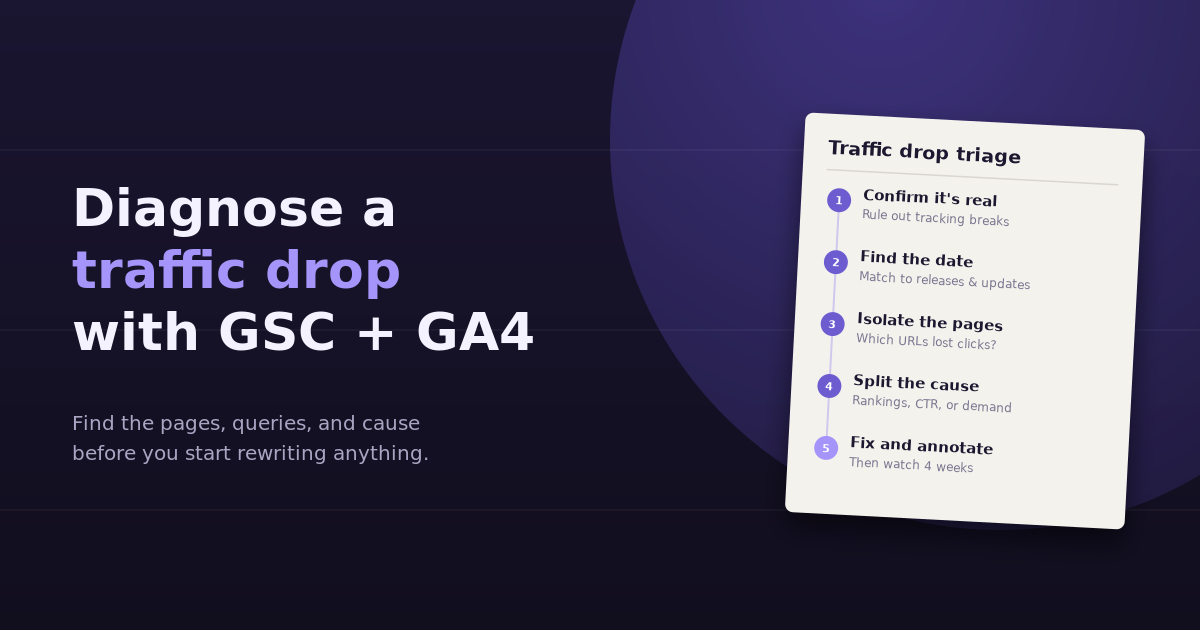
When organic traffic falls, the instinct is to start fixing things: rewrite titles, refresh old posts, build links. That’s usually premature. To diagnose a traffic drop properly, you first need to know whether the drop is real, when exactly it started, which pages and queries it hit, and whether the cause is rankings, click-through rate, or plain demand. Google Search Console and GA4 together answer all four questions, and the order you check them in matters more than any single report.
This guide walks through a five-step triage that separates real drops from tracking problems, isolates the affected pages, and points to the most likely cause before you change anything on the site.
Step 1: Confirm the Drop Is Real
A surprising share of “traffic drops” are measurement problems. Before analyzing anything, compare the two tools against each other.
| What you see | Most likely explanation |
|---|---|
| GA4 sessions down, GSC clicks stable | Tracking issue: a broken tag, a consent banner change, a new template missing the GA4 snippet |
| GSC clicks down, GA4 organic sessions down by a similar amount | A genuine search visibility drop |
| GA4 organic down, GA4 direct or unassigned up by a similar amount | Attribution shift, often caused by lost referrer data or UTM problems |
| Both down across every channel, not just organic | Site-wide issue: downtime, a redirect error, or a seasonal dip in demand |
Search Console counts clicks from Google’s side, so it doesn’t depend on your tracking code. That makes it the best sanity check for GA4. If GSC clicks are flat and GA4 is down, stop here and fix your tracking. Our guide to data tracking in marketing covers the usual culprits.
Step 2: Pin Down the Exact Date
A gradual slide and an overnight cliff have different causes. In Search Console’s Performance report, switch the date range to the last 16 months and look at daily clicks. Then narrow in.
- Sudden drop on a single day: usually a technical change (a deployment, a robots.txt edit, a noindex tag, a migration) or a manual action
- Drop over 1 to 3 weeks: often aligns with a Google core or spam update rolling out
- Slow decline over months: content decay, growing competition, or shifting search demand
- Annual pattern: compare to the same period last year before assuming anything is wrong
Once you have a date, line it up against three timelines: your own releases and site changes, Google’s published ranking update history, and any changes to your GA4 or consent setup. If your team uses GA4 annotations or a changelog, this step takes minutes instead of hours.
Step 3: Isolate the Affected Pages and Queries
Site-wide totals hide where the damage actually is. In most traffic drops, a small number of pages account for most of the loss.
In Search Console
- Open Performance, then Search results
- Click Date and choose Compare, setting equal-length periods before and after the drop
- Switch to the Pages tab and sort by the click difference
- Repeat on the Queries tab to see which search terms lost clicks
Export both lists. You’re looking for a pattern: are the losses concentrated in one folder, one content type, one topic cluster, or one device?
In GA4
Open Reports, then Engagement, then Landing page, and filter to organic search traffic using the session default channel group. Compare the same two periods. This confirms which landing pages lost sessions and, more importantly, whether those pages also lost key events. A page that lost 2,000 sessions but no conversions is a lower priority than one that lost 300 sessions and half its sign-ups.
Step 4: Split the Cause Into Rankings, CTR, or Demand
This is the step most audits skip. Clicks are a product of three things: how many people searched, how often you appeared, and how often they clicked. Each points to a different fix.
| Pattern in GSC (before vs after) | Diagnosis | Where to look next |
|---|---|---|
| Impressions down, average position down | Ranking loss | Who now ranks above you, whether intent shifted, content quality and freshness |
| Impressions stable, position stable, CTR down | Click-through problem | New SERP features (AI Overviews, video, shopping), title and description changes, rich result loss |
| Impressions down, position stable | Demand drop | Seasonality, Google Trends, whether the topic is simply searched less |
| Impressions near zero for specific pages | Indexing problem | URL Inspection, Page indexing report, canonicals, noindex tags, redirects |
CTR drops with stable rankings have become far more common as AI Overviews and other SERP features take up space above organic results. If that’s the pattern, rewriting the content won’t recover the clicks; the answer may be targeting different queries, earning the featured position, or measuring visibility in AI answers alongside clicks. Our guide to keyword rank monitoring explains how to separate position changes from SERP layout changes.
Step 5: Fix, Annotate, and Watch
Only now is it time to change things, and the fix depends on the diagnosis:
- Tracking issue: repair the tag, then note the gap in your reports so nobody mistakes it for a real decline later
- Indexing issue: fix the technical cause and request reindexing through URL Inspection
- Ranking loss: compare your page to what now ranks above it; update depth, freshness, and intent match rather than just adding keywords
- CTR loss: test new titles and descriptions, add structured data where eligible, and consider whether the query still deserves the effort
- Demand drop: usually no fix needed; shift effort to topics with growing demand
After any change, give it four to eight weeks. Search Console data lags by a couple of days, and ranking changes after content updates rarely settle within a week. Write down what you changed and when, so the next diagnosis has a timeline to check against.
A Worked Example
A SaaS blog sees GA4 organic sessions fall 25% over two weeks. Search Console shows clicks down 23% over the same period, so the drop is real (Step 1). The decline started on the same day a Google core update began rolling out (Step 2).
The Pages comparison shows that 14 posts account for 80% of the lost clicks, all in the comparison and “best tools” cluster (Step 3). For those pages, impressions held steady and average position barely moved, but CTR fell from 4.1% to 2.6% (Step 4). Checking the live results shows an AI Overview now appears for most of those queries.
The diagnosis isn’t “our content got worse.” It’s “fewer people click through when an AI answer appears.” The response is to track whether the brand is mentioned or cited inside those AI answers, rework titles to emphasize what the AI summary can’t provide, and stop treating clicks as the only measure of those pages’ visibility.
Speeding Up the Diagnosis
The five steps above take one to three hours by hand, mostly spent exporting from two tools and lining up date ranges in a spreadsheet. That’s fine for a one-off incident, but painful if you manage several sites or check monthly.
When GSC and GA4 are connected in the same place, each step becomes a single question:
- “Did organic clicks in Search Console drop as much as organic sessions in GA4 over the last 28 days?”
- “On which day did organic clicks start falling, and by how much per day?”
- “Which 10 pages lost the most clicks, and did their position, impressions, or CTR change?”
- “Of the pages that lost traffic, which also lost key events in GA4?”
The logic is the same; the difference is that you get each answer in seconds instead of rebuilding the comparison by hand. For a broader view of the same data, our guide to building an SEO dashboard with GA4, GSC, and Ahrefs shows how to keep these signals side by side.
Frequently Asked Questions
Why does GA4 show a traffic drop but Search Console doesn't?
Search Console measures clicks from Google's side, independently of your tracking code. If GA4 organic sessions fall while GSC clicks stay flat, the cause is almost always on the measurement side: a missing tag, a consent banner change, or traffic being attributed to a different channel.
How long should I wait before reacting to a traffic drop?
Confirm the drop for at least a few days before acting, since Search Console data lags by roughly two days and daily numbers fluctuate. During a Google core update rollout, it's often worth waiting until the rollout finishes before making major content changes.
How do I know if a Google update caused my traffic drop?
Compare the date your clicks started falling with Google's published ranking update history. If the timing matches and the losses are concentrated in pages that lost average position, an update is the likely cause. If position is stable and CTR fell, the cause is more likely a SERP layout change.
Can AI Overviews cause a traffic drop without a ranking change?
Yes. When an AI Overview or other SERP feature appears above organic results, fewer searchers scroll and click, so CTR can fall even when your position is unchanged. This shows up in Search Console as stable impressions and position with declining CTR.
Should I compare to the previous period or the same period last year?
Use both. The previous period shows whether something changed recently, while the same period last year rules out seasonality. A drop that looks alarming month over month is sometimes normal year over year.
What's the most common cause of a sudden overnight traffic drop?
Technical changes: a deployment that added a noindex tag, a broken robots.txt rule, a migration with missing redirects, or a removed tracking tag. Check the Page indexing report and URL Inspection for affected pages first.
Next time traffic drops, skip the spreadsheet. Connect Search Console and GA4 to ConvoData and ask which pages lost clicks and why, then update the affected pages from the same conversation. Plans start at $39/month.