


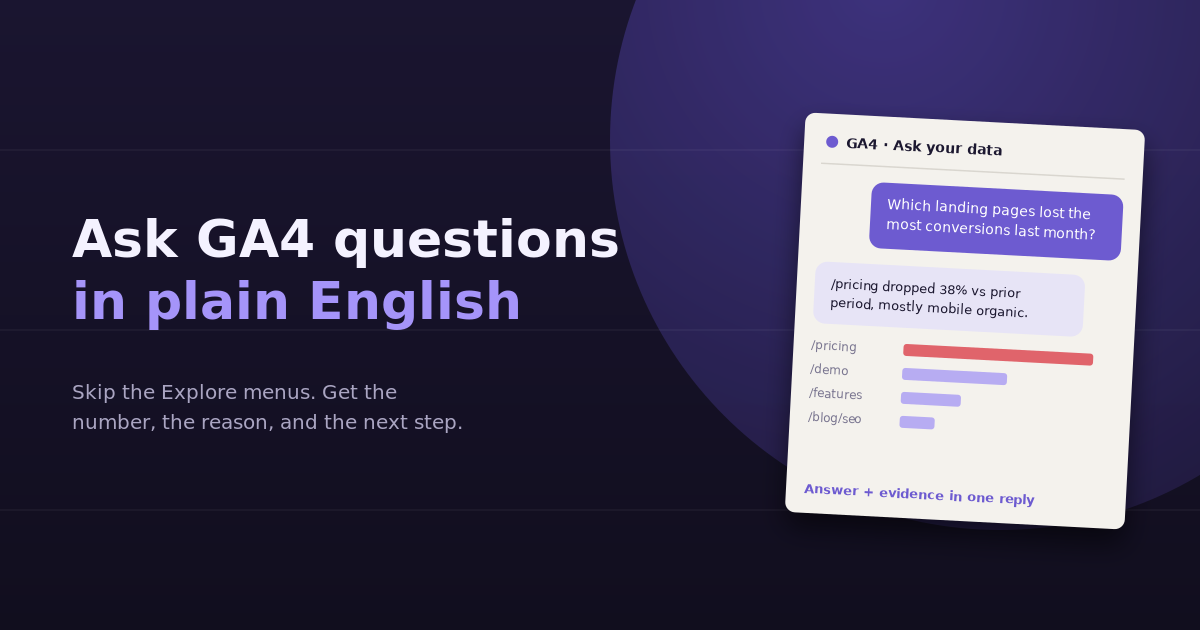
Most people who open GA4 already know the question they want answered. Which pages lost conversions last month? Where did that spike in traffic come from? Why does mobile convert worse than desktop? The hard part is turning that question into the right combination of reports, dimensions, comparisons, and filters. Being able to ask GA4 questions in plain English removes that translation step, but only if you ask in a way that produces a real answer instead of a vague summary.
This guide covers what plain-English analytics actually does under the hood, the options available today, how to phrase questions so the answers are specific and checkable, and the mistakes that make AI answers about GA4 data look confident but wrong.
Why GA4 Is Hard to Question Directly
GA4 is powerful, but its interface assumes you already know how its data model works. To answer “which landing pages lost the most conversions from organic search last month,” you need to know that:
- Landing page is a session-scoped dimension, while key events can be counted at event or session level
- “Organic search” is a default channel group value, not a source
- A month-over-month comparison needs two date ranges, set up in Explore or in a report’s comparison panel
- Standard reports and Explorations can show slightly different numbers because of thresholding and sampling
None of that is the question you care about. It’s the plumbing you have to get through first. That’s why so many GA4 users default to the same three or four standard reports and never go deeper: the cost of building each new view is too high for a one-off question.
Plain-English querying flips that. You describe the outcome you want, and the tool works out which metrics, dimensions, filters, and date ranges produce it.
What “Plain English” Actually Means Under the Hood
When you type a question into a natural-language analytics tool, a few things happen in sequence:
- Intent parsing — the question is broken into metrics (conversions, sessions), dimensions (landing page, channel), filters (organic only), and time ranges (last month vs the month before)
- Query building — those pieces are mapped to the GA4 Data API’s actual field names, such as
sessionDefaultChannelGrouporkeyEvents - Data retrieval — the query runs against your property, returning real rows
- Interpretation — the results are summarized, ranked, and explained, ideally with the underlying numbers shown
The quality of the answer depends almost entirely on steps 2 and 3. A tool that queries your live GA4 property returns numbers you can verify. A tool that guesses from a screenshot or a pasted summary can only reason about what you gave it.
Your Options for Asking GA4 Questions in Plain English
| Option | How it works | Best for | Main limitation |
|---|---|---|---|
| GA4’s built-in search and insights | Type a question into the search bar at the top of GA4; automated insights flag changes | Quick single-metric lookups | Shallow answers, limited follow-ups, one property at a time |
| Exporting to a general AI chatbot | Export a report as CSV, upload it, ask questions | One-off analysis of a fixed dataset | Data is frozen at export time; no follow-up queries against GA4 |
| An MCP server connected to an AI assistant | The assistant calls the GA4 API through a connector | Technical users comfortable with setup | Setup, credentials, and maintenance sit with you |
| A conversational analytics tool | GA4 is connected once; questions are translated into live API queries | Teams asking recurring questions, often across several sources | Another subscription in the stack |
The right choice depends on how often you ask questions and whether GA4 is the only source involved. If the answer usually needs Search Console, ad spend, or CRM data too, a GA4-only option will keep sending you back to spreadsheets.
How to Phrase GA4 Questions That Get Real Answers
The single biggest factor in answer quality is how specific the question is. Vague questions get vague summaries. Specific questions get rankings, numbers, and causes.
1. Name the metric you actually mean
“How is the site doing?” has no correct answer. “How many key events did we get from organic search last month compared to the month before?” does. Name the metric — sessions, users, key events, engagement rate, revenue — and the tool doesn’t have to guess.
2. Always give a time range and a comparison
A number without context isn’t an insight. Asking for “last 28 days vs the previous 28 days” or “this month vs the same month last year” turns a figure into a trend, and trends are what drive decisions.
3. Say how you want it broken down
“Broken down by landing page,” “by device category,” or “by channel” tells the tool which dimension to group by. Without it, you’ll usually get a total, which hides the one segment that actually changed.
4. Ask for the evidence, not just the conclusion
End questions with “show me the numbers behind this” or “list the top 10 rows.” This makes the answer checkable. If a tool says organic conversions dropped because of the pricing page, you want to see the pricing page’s before-and-after figures right there.
5. Ask one decision per question
“What happened to traffic, which campaigns should I pause, and what should I write next?” is three questions. Ask them one at a time and use each answer to sharpen the next one.
Example Questions, From Basic to Advanced
Traffic and acquisition
- Which channels drove the most sessions last month, and how does that compare to the month before?
- Which referral sources sent new traffic this quarter that didn’t send any last quarter?
- What share of our sessions comes from mobile, and is it growing?
Engagement and content
- Which blog posts have the highest engagement rate but the lowest traffic?
- Which landing pages have an engagement rate below 40% and more than 500 sessions?
- What’s the average engagement time on pages in the /blog/ folder vs the /features/ folder?
Conversions and revenue
- Which landing pages lost the most key events from organic search last month?
- What’s the conversion rate by device, and where is the biggest gap?
- Which campaigns drove the most purchases but the lowest average order value?
Diagnostic questions
- Sessions dropped 20% last week — which channel, device, and landing page explain most of the drop?
- Did anything change in our top 20 landing pages after the site update on the 12th?
- Is the drop in conversions a traffic problem or a conversion-rate problem?
That last question type is where plain-English analytics earns its keep. Splitting a change into “fewer people came” versus “the same people converted less” is a multi-report job in the GA4 interface, and a single question in a conversational tool.
Where Plain-English Answers Go Wrong
Natural-language analytics is only as reliable as the query underneath it. Watch for these failure modes.
Metric confusion
GA4 has several similar-sounding metrics: users vs active users vs total users, sessions vs engaged sessions, key events vs conversions in older properties. If an answer seems off, ask which exact metric was used. A good tool will tell you.
Silent date range assumptions
“Last month” could mean the previous calendar month or the last 30 days. If the tool picked one without saying so, two people asking the same question can get different numbers.
Thresholding and data limits
GA4 withholds some rows when user counts are small, especially with Google signals enabled, and standard properties retain detailed event data for a limited window. A question about a low-traffic page from 18 months ago may simply not have reliable data behind it. See our guide to GA4 data retention for how this affects historical questions.
Answers with no numbers
If a reply says “mobile performance has declined” without showing figures, treat it as a hypothesis. Ask for the table.
Going Beyond GA4: Questions That Need More Than One Source
Many of the most useful marketing questions can’t be answered by GA4 alone:
- “Which pages rank in positions 8 to 20 in Search Console but already convert well in GA4?” needs GSC plus GA4
- “What’s our cost per key event by campaign?” needs Google Ads spend plus GA4 conversions
- “Which traffic sources produce leads that actually become customers?” needs GA4 plus your CRM
This is where connecting several sources in one place matters more than any single natural-language feature. A question that spans three tools takes an afternoon of exports and VLOOKUPs, or one sentence when the data is already connected. Our walkthrough on finding content gaps with GSC and GA4 together shows what that combined view makes possible.
Turning Answers Into a Weekly Habit
The real benefit of plain-English analytics isn’t one impressive answer. It’s that the cost of asking drops so low that you ask more often. A simple routine:
- Monday: “What changed most in sessions, key events, and revenue last week, and which segments explain it?”
- Mid-week: one diagnostic question about whatever Monday’s answer flagged
- Monthly: “Which landing pages gained and lost the most key events this month, by channel?”
- Quarterly: “Which channels and pages drove the most growth this quarter compared to last?”
Keep the questions consistent so the answers are comparable over time. If you want help choosing which numbers belong in that routine, our list of GA4 KPIs worth tracking is a good starting point.
Frequently Asked Questions
Can I ask GA4 questions in plain English without any extra tools?
Yes, to a limited extent. GA4's search bar accepts simple natural-language questions and returns quick answers or links to relevant reports. It works for single-metric lookups but struggles with comparisons, multi-step breakdowns, and follow-up questions.
Is it safe to connect GA4 to an AI analytics tool?
Connections typically use Google's OAuth, so you grant read access to specific properties without sharing your password. Check what scopes a tool requests, whether it stores your data, and whether you can revoke access from your Google account at any time.
Why does the AI answer differ from what I see in GA4 reports?
The most common reasons are different date ranges, a different metric (such as total users vs active users), or the difference between standard reports and the Data API, which can apply thresholding differently. Ask the tool to state the exact metric, dimension, and date range it used.
Can plain-English tools answer questions about GA4 data from years ago?
Only if the data still exists. Aggregated metrics in standard reports are kept long-term, but detailed event-level data in Explorations is subject to your property's data retention setting, which is two or fourteen months for standard properties.
Do I need to know GA4 dimension and metric names to ask good questions?
No, but it helps to be specific about what you mean. Saying key events instead of results, or landing page instead of page, reduces ambiguity and makes the answer more accurate.
Can I ask questions that combine GA4 with other data sources?
Not inside GA4 itself. You need a tool that connects GA4 alongside sources like Search Console, Google Ads, or your CRM, so questions such as cost per key event or rankings vs conversions can be answered in one step.
Stop building Explorations for one-off questions. Connect GA4 to ConvoData and ask it directly which pages, channels, or campaigns changed and why — then act on the answer from the same chat. Plans start at $39/month.