


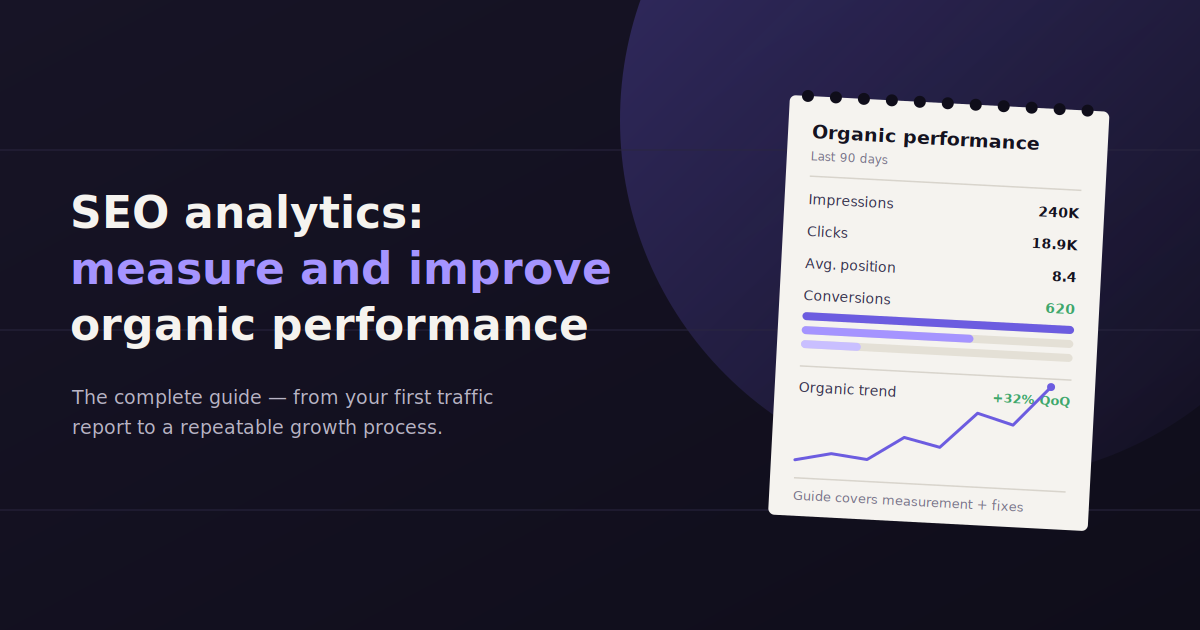
Ranking a page is only half the job. SEO analytics is the practice of collecting and interpreting the data behind those rankings — traffic, clicks, position, conversions — so you know which pages are actually earning their keep and which ones need work.
Most teams already have the raw data. It’s sitting in Google Search Console, GA4, and a rank tracker. The gap is turning that data into a decision: which page to update first, which keyword to chase next, which technical issue is quietly capping your traffic.
This guide walks through what SEO analytics covers, the metrics worth tracking, how to actually analyze the numbers, and the tools that make the process repeatable instead of a monthly scramble.
Where it’s useful, we’ll point out where a conversational tool like ConvoData can shortcut a step — but the core of this guide is the analysis itself, not a product pitch.
What Is SEO Analytics?
SEO analytics is the process of collecting, measuring, and interpreting data about how a website performs in organic search — covering rankings, traffic, click-through rate, backlinks, and technical health — to guide decisions about what to fix or build next.
SEO analytics differs from SEO reporting in one important way: analytics is the analysis itself, while reporting is how you package that analysis for a client, boss, or stakeholder.
You can have great data and still make bad decisions if you don’t know how to read it. A page with rising impressions but flat clicks isn’t a ranking problem — it’s usually a title tag or meta description problem. That distinction only shows up when you actually analyze the numbers, not just glance at a dashboard.
Done well, SEO analytics answers three questions on a recurring basis: what’s working, what’s not, and what should we do about it this month.
5 Core Types of SEO Analysis
Most SEO analytics work falls into five categories. Running all five on a rotating schedule — rather than only when something breaks — catches problems before they cost you meaningful traffic.
Technical SEO analysis — crawlability, indexation, site speed, mobile usability, and structured data. If Google can’t crawl or render a page properly, nothing else on this list matters.
On-page analysis — title tags, headers, keyword targeting, and internal linking on individual pages, checked against what’s actually ranking for that query today.
Off-page analysis — backlink profile, referring domains, and anchor text distribution, since off-page signals still carry real weight in most ranking algorithms.
Content audits — identifying pages that are outdated, thin, cannibalizing each other, or simply underperforming relative to their search potential.
Site-wide audits — a periodic full-site scan covering broken links, duplicate content, redirect chains, and orphaned pages that never show up in a single-page check.
How to Analyze SEO Data Step by Step
The order you check things in matters. Technical issues can distort every other metric downstream, so they come first.
1. Check page speed and Core Web Vitals
A slow page suppresses rankings and conversions at the same time. Even a one-second delay in load time measurably increases bounce rate on mobile, where most search traffic now originates.
Run your key landing pages through PageSpeed Insights or a similar tool monthly, not once at launch. Speed regresses quietly as a page accumulates scripts, images, and third-party tags over time.
2. Check visibility and indexation in Search Console
Before analyzing rankings, confirm Google can actually see your pages. The Coverage report in Search Console flags pages excluded from the index — often for reasons you’d never spot by browsing the site yourself.
Cross-reference impressions against clicks here. A page with high impressions and low click-through rate is winning the visibility battle but losing on the listing itself — usually a title or snippet problem, not a ranking one.
3. Audit URLs and site structure
Clean, consistent URL structures help both users and crawlers understand hierarchy. Look for duplicate URL variants (with and without trailing slashes, http vs https, parameter strings) splitting ranking signal across multiple versions of the same page.
Canonical tags fix most of this, but only if they’re actually pointing where you think they are — a surprisingly common source of silent traffic loss.
4. Analyze content performance
Pull organic sessions, average position, and conversions per page, then sort by traffic potential versus actual performance. Pages ranking on page two for high-volume terms are usually your fastest wins — a small content update can push them onto page one.
Watch for cannibalization: two pages on your site competing for the same query almost always underperform compared to consolidating them into one stronger page.
5. Evaluate backlinks and internal links
External links still signal authority, but internal links are the ones you control directly. Pages with few internal links pointing to them often rank worse than their content quality would suggest, simply because they look less important to a crawler.
A quarterly backlink audit catches both new authority gains and toxic links worth disavowing before they drag down a domain’s trust signals.
SEO Metrics That Actually Matter
The SEO metrics worth tracking regularly are organic sessions, keyword rankings and position changes, click-through rate, backlinks and referring domains, Core Web Vitals, and organic conversion rate — together they show visibility, engagement, and business impact, not just traffic volume.
Organic sessions — the baseline traffic metric, best read as a trend line over months, not a single snapshot.
Keyword rankings and position changes — track your priority keyword list weekly; a slow slide over several weeks is easier to catch and reverse than a sudden drop.
Click-through rate (CTR) — clicks divided by impressions for a given query; low CTR at a good position usually means the listing itself needs work.
Backlinks and referring domains — quality and relevance matter more than raw count; ten links from relevant sites outweigh a hundred from unrelated ones.
Core Web Vitals — loading, interactivity, and visual stability scores that factor directly into both rankings and user experience.
Organic conversion rate — the metric that ties SEO work back to revenue, since traffic alone doesn’t pay the bills.
Setting Up Your SEO Analytics Stack
You don’t need a dozen tools. Most teams get full coverage with four: a web analytics platform, a search console, a rank tracker, and a way to pull it all into one report.
Google Analytics and Google Search Console are the free, non-negotiable foundation — they’re where the underlying data actually lives. A dedicated rank tracker adds daily position data that Search Console reports with more lag.
The last piece is where teams either lose hours every month or save them. Manually exporting CSVs from three tools into a spreadsheet is the default — and the default is slow. A conversational tool like ConvoData connects directly to sources like GA4 and Search Console and lets you ask a plain-English question — “which pages lost the most organic clicks this month” — and get a live answer plus a suggested next step, instead of building that cross-reference by hand every time.
That’s not a replacement for the analysis skills covered above — it’s a way to get to the analysis faster, so more of your time goes into deciding what to fix rather than assembling the numbers that tell you what needs fixing.
Turning SEO Analytics Into a Report Someone Will Read
A report full of every metric you tracked isn’t useful — it’s a data dump wearing a report’s clothing. Pick the three to five numbers that actually moved the needle this period and lead with those.
Pair every number with what changed and what you’re doing about it. “Organic sessions dropped 8%” is a fact. “Organic sessions dropped 8% after a Core Web Vitals regression on mobile; fix shipped this week” is a report someone can act on.
Keep the cadence consistent — monthly for most accounts, weekly for anything volatile or newly launched — so trend lines stay meaningful instead of getting rebuilt from scratch each time.
Common SEO Analytics Mistakes
Even experienced teams fall into the same handful of traps when reading SEO data. Most are avoidable once you know to look for them.
Confusing correlation with causation — a traffic dip that lines up with an algorithm update isn’t automatically caused by it; check for site changes, seasonality, and technical issues before blaming Google.
Tracking vanity metrics only — impressions and rankings feel good to report but don’t pay bills on their own; always pair visibility metrics with conversion data.
Ignoring branded vs. non-branded search — lumping the two together hides whether your SEO work is actually growing new-visitor reach or just capturing people who already knew your brand.
Comparing time periods with different lengths — a 31-day month against a 28-day month will always show a swing that has nothing to do with performance; always compare like-for-like periods.
Acting on a single week of data — search rankings fluctuate naturally; a real trend needs at least three to four weeks of consistent movement before it’s worth a strategy change.
Building an SEO Analytics Routine That Sticks
The teams that get the most value from SEO analytics aren’t the ones with the fanciest dashboard — they’re the ones who actually look at the data on a fixed schedule.
Block 30 minutes every Monday for a quick pass on rankings and any pages with sudden traffic changes. Save the deeper monthly audit — content performance, backlinks, technical health — for a longer session once a month.
Write down the one or two actions each session produces before moving on. Analytics without a follow-up action is just a number nobody does anything about.
Frequently Asked Questions
What is the difference between SEO analytics and SEO reporting?
SEO analytics is the process of analyzing your search performance data to understand what's happening and why; SEO reporting is how you package that analysis into a document or dashboard for a client or stakeholder.
What tools do I need for SEO analytics?
At minimum, Google Analytics and Google Search Console for free foundational data, plus a rank tracker for daily keyword position data. A reporting or conversational layer, like ConvoData, helps combine all three without manual exports.
How often should I check my SEO analytics?
Weekly for keyword rankings and any recently changed pages, monthly for a full review of traffic, conversions, and technical health across the site.
What is the most important SEO metric to track?
There isn't one universal answer — organic sessions show reach, but organic conversion rate ties SEO work directly to revenue, which is usually what stakeholders actually care about.
Can AI tools help with SEO analytics?
Yes — conversational tools like ConvoData let you ask a direct question about your connected SEO data and get an instant answer plus a suggested action, which speeds up the analysis step without replacing the underlying strategy work.
Why did my organic traffic drop even though my rankings look stable?
Check click-through rate first — a stable ranking with a falling CTR usually means a competitor improved their listing, a SERP feature pushed organic results down, or your title and meta description no longer match search intent as well as they used to.
How long does it take to see results from SEO analytics-driven changes?
Most content and technical fixes take four to eight weeks to show a measurable ranking or traffic change, since search engines need time to recrawl and re-evaluate the page against competing results.
Should small businesses bother with SEO analytics or just focus on content?
Both matter, but analytics is what tells you which content to prioritize — without it, you're guessing which topics or pages are worth the time investment.
Pull up your Search Console and GA4 data this week and ask one direct question about it — which page lost the most clicks, or which keyword is closest to page one. If you want that answer in seconds instead of a spreadsheet, ConvoData connects to your SEO data sources and gives you a live answer plus a next step, starting at $39/month.
For the KPI-level detail behind this guide, see our breakdown of the SEO KPIs that actually matter. If you are setting up the reporting infrastructure to track these numbers, our guide to building an SEO dashboard with GA4, GSC, and Ahrefs covers the build, and finding content gaps using GSC and GA4 together is a natural next step once your organic analytics are in order.