


The average marketing team pulls data from six or more platforms — GA4, Meta, Google Ads, email, CRM, social — and none of them agree on what counts as a “conversion.”
Marketing analytics tools solve that by centralizing channel data into one place with consistent definitions, so a marketer can see the full customer journey instead of six disconnected fragments of it.
A conversational layer is now emerging on top of that layer: ConvoData lets you ask a plain-English question across your connected sources and get an answer plus a suggested strategy, instead of building a dashboard first.
This guide ranks the 11 tools worth considering in 2026, from full-stack platforms to specialized analytics tools that do one thing very well.
Why Scattered Data Is the Real Analytics Problem
Most teams don’t lack data — they lack a single version of the truth across the platforms generating it.
When a marketer has to manually reconcile GA4 sessions against Meta-reported clicks against CRM-recorded leads, small definitional differences compound into a report nobody fully trusts.
A marketing analytics tool’s core job is to normalize that data once, centrally, so every downstream report and dashboard pulls from the same consistent numbers.
What to Look for in a Marketing Analytics Tool
The strongest marketing analytics tools combine broad channel integrations, custom metric and dimension support, AI-assisted insight generation, and either native visualization, conversational querying, or clean export into your existing dashboard tool.
- Broad integrations — native connectors across paid, organic, email, and CRM data, not just one channel family.
- Custom metrics — the ability to define your own calculated fields instead of being locked to platform defaults.
- AI-assisted insights — automated flags for anomalies or trends a human might miss scanning a dashboard manually, or a direct answer to a question you ask outright.
- Data governance — consistent access controls and metric definitions across every team member pulling from the same data.
- Export flexibility — clean handoff into your reporting or visualization tool of choice, not a walled garden.
Attribution Models: The Setting Most Teams Get Wrong
Last-click attribution still ships as the default in most platforms, even though it systematically undercredits early-funnel channels like content and social.
A prospect who reads three blog posts, sees a retargeting ad, then converts via a branded search click gets that conversion assigned entirely to search under last-click — content and retargeting show zero credit.
Switching to a data-driven or position-based model, available in GA4 and most full-stack platforms, gives a more honest picture of which channels actually move a prospect toward converting, not just which one closed the deal.
The 11 Best Marketing Analytics Tools in 2026
| Tool | Best For | Starting Price |
| ConvoData | Conversational, ask-a-question analytics | $39/mo |
| Whatagraph | Cross-channel reporting with AI summaries | ~$199/mo |
| Google Analytics 4 | Free, deep website behavior analytics | Free |
| Semrush | SEO and competitive analytics | ~$139/mo |
| HubSpot | CRM-integrated marketing analytics | ~$50/mo |
| Sprout Social | Social media analytics and scheduling | ~$199/mo |
| Adobe Analytics | Enterprise cohort and predictive analytics | Custom |
| Matomo | Privacy-first, self-hosted analytics | Free (self-hosted) |
| Databox | Real-time KPI dashboards | ~$59/mo |
| Looker Studio | Free custom visualization | Free |
| Metrics Watch | Simple automated email reports | ~$39/mo |
1. ConvoData — Best for Conversational Analytics
ConvoData takes a different approach than every other tool on this list: instead of building a dashboard and reading it yourself, you connect your marketing sources and ask a question directly — “which channel drove the most qualified leads last quarter” — and get a live answer plus a suggested strategy.
That combination of a live pulled number and a recommended response is the core differentiator. Most analytics tools stop at showing you the number and leave the interpretation to you.
It supports 14 live integrations today out of a 27-integration roadmap, with new connectors shipping regularly — worth checking your specific stack is covered before migrating a core reporting workflow over.

At $39/month to start, it’s priced to sit alongside a free foundation like GA4 rather than replace a full enterprise stack outright.
- Pros: lowest starting price on this list, plain-English querying with no dashboard to build or maintain, answers arrive with a suggested action
- Cons: connector library still expanding (14 of 27 planned integrations live today)
2. Whatagraph — Best for Cross-Channel Reporting

Whatagraph connects 50+ channels and blends them into custom dashboards with AI-generated commentary explaining performance shifts.
It suits teams that need both the analytics and the client- or stakeholder-facing report to come from the same platform, at a price point roughly five times ConvoData’s entry tier.
3. Google Analytics 4 — Best Free Website Analytics
GA4‘s event-based model and machine-learning attribution give a genuinely useful free foundation for website behavior analysis.
Its data sampling and retention limits on lower tiers mean larger sites often need to pair it with BigQuery for full historical detail.
4. Semrush — Best for SEO and Competitive Analytics

Semrush‘s keyword and competitor analysis tools go deeper than any general-purpose analytics platform on organic search specifically.
It works best as a specialized layer feeding a broader dashboard or conversational tool rather than a standalone client-facing report.
5. HubSpot — Best CRM-Integrated Analytics

Because HubSpot‘s analytics live inside the same platform as the CRM, marketing data connects directly to actual closed-won revenue.
That revenue-linked view is hard to replicate in tools that only see top-of-funnel marketing metrics.
6. Sprout Social — Best for Social Analytics

Sprout Social combines scheduling with sentiment analysis and custom reporting, useful for teams managing both content and performance from one seat.
Its reporting is strongest within social specifically rather than as a cross-channel analytics hub.
7. Adobe Analytics — Best for Enterprise Predictive Analytics

Cohort and flow analysis plus predictive modeling make Adobe Analytics a fit for large organizations with dedicated analytics teams.
Its complexity and pricing put it out of reach for most small and mid-size teams.
8. Matomo — Best Privacy-First Option

Matomo‘s self-hosted, GDPR-compliant model appeals to teams in regulated industries or regions with strict data residency requirements.
Self-hosting trades convenience for full data ownership and control.
9. Databox — Best for Real-Time KPI Tracking
Databox‘s live scorecards and anomaly detection suit teams that want an always-on pulse rather than a static monthly report.
Slack and mobile push notifications keep key metrics visible without anyone opening a dashboard.
10. Looker Studio — Best Free Visualization Layer
As a visualization layer on top of GA4, BigQuery, or other connected sources, Looker Studio remains the most flexible free option available.
It requires other tools to supply the underlying analytics; it isn’t an analytics engine on its own.
11. Metrics Watch — Best for Simple Email Reports
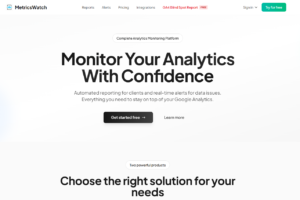
Metrics Watch focuses narrowly on automated, scheduled email reports rather than interactive dashboards.
It’s a good fit for stakeholders who want a clean number update in their inbox without logging into a separate platform.
ConvoData vs. Whatagraph for Marketing Analytics
ConvoData answers marketing questions conversationally starting at $39/month; Whatagraph builds AI-narrated cross-channel dashboards starting around $199/month. Choose ConvoData for speed, budget efficiency, and self-serve answers; Whatagraph for the broadest connector library today.
Whatagraph’s AI adds commentary on top of a dashboard your team still designs and maintains across every connected channel. ConvoData skips that layer — ask the question, get the answer and a recommended response.
Teams that want a stakeholder to self-serve a specific question, rather than scan a dashboard hoping the answer is somewhere on it, tend to prefer the conversational model.
Budget is the other clear differentiator: ConvoData’s $39/month entry point makes it realistic to pair with a free GA4 foundation without a large software line item.
Full-Stack Platforms vs. Specialized vs. Conversational Tools
Full-stack platforms like Whatagraph or HubSpot try to cover multiple analytics needs in one subscription, trading some depth per channel for convenience and a single login.
Specialized tools like Semrush or Sprout Social go deeper on one domain — SEO or social — but require a separate step to blend that data with the rest of your marketing picture.
Conversational tools like ConvoData sit on top of either approach: connect your existing sources and ask questions directly, without needing to design a dashboard layer at all.
None of these approaches is universally better. A lean team benefits more from consolidation or a conversational layer; a team with a dedicated specialist per channel often gets more value from best-in-class point tools.
How to Choose the Right Marketing Analytics Stack
Most teams don’t need one tool that does everything — pair a free analytics foundation like GA4 with a specialized tool for SEO or social, then use a conversational or cross-channel platform like ConvoData or Whatagraph to unify the reporting layer.
Resist the urge to consolidate everything into a single platform on day one. Start with the channel causing the most reporting pain, fix that, then expand.
A stack of two or three well-integrated tools usually outperforms one bloated platform trying to do everything adequately.
Building a Single Source of Truth Across Tools
The goal of a marketing analytics stack isn’t to consolidate every metric into one tool — it’s to agree, once, on how each metric is defined, then keep that definition consistent everywhere it appears.
Write down your team’s definition of a “qualified lead,” a “conversion,” and “engaged session” in one shared document, and require every tool’s custom metrics to match it.
This single step prevents more reporting disputes than any dashboard redesign, because most data disagreements are actually definition disagreements wearing a numbers costume.
Signs Your Current Analytics Setup Needs an Upgrade
If two team members can pull different numbers for the same metric on the same day, your data governance has already broken down.
If building a single cross-channel report takes more than an hour of manual work, the tooling — not the team — is the bottleneck.
If stakeholders stop asking questions about the data, that’s not a good sign — it usually means they’ve stopped trusting it enough to dig in.
Frequently Asked Questions
What is the best free marketing analytics tool?
Google Analytics 4 remains the strongest free foundation for website analytics, while Looker Studio is the best free option for visualization and reporting.
What is a conversational marketing analytics tool?
A tool like ConvoData that lets you ask a question in plain English — 'which channel drove the most leads last month' — and returns a live answer pulled from your connected data sources, plus a suggested next step, instead of requiring you to build and read a dashboard.
How many marketing analytics tools does a team actually need?
Most teams do well with two to three: a website analytics foundation, one or two channel-specific specialist tools, and a unifying reporting or conversational layer.
What's the difference between marketing analytics and marketing reporting?
Analytics tools collect and analyze raw performance data; reporting tools package that analysis into a document, dashboard, or conversational answer for stakeholders — some platforms, like ConvoData and Whatagraph, do both.
Is Adobe Analytics worth it for a small marketing team?
Rarely — its pricing and complexity are built for enterprise analytics teams; smaller teams typically get more value from GA4 paired with a specialized or conversational tool.
How do I stop different tools from showing conflicting numbers?
Standardize your metric definitions — conversion window, session definition, and lead qualification criteria — in one shared document, then configure every connected tool to match it rather than relying on each platform's own default.
List every platform your team currently pulls marketing data from, circle the one causing the most manual work, and ask ConvoData a real question about it this week — that’s the fastest way to see if a conversational layer saves your team time. Plans start at $39/month.
If you specifically want AI doing more of the interpretation rather than just the data pull, see our roundup of the best AI-powered analytics tools for marketers. And whichever tool you pick, our guide to building web analytics reports covers how to turn the output into something a client or stakeholder actually reads.